FLASH SALE Get 20% OFF everything using the coupon code: FLASH20 View Pricing Plans →
Foodica includes a full-width widgetized area in the footer called Instagram Bar.
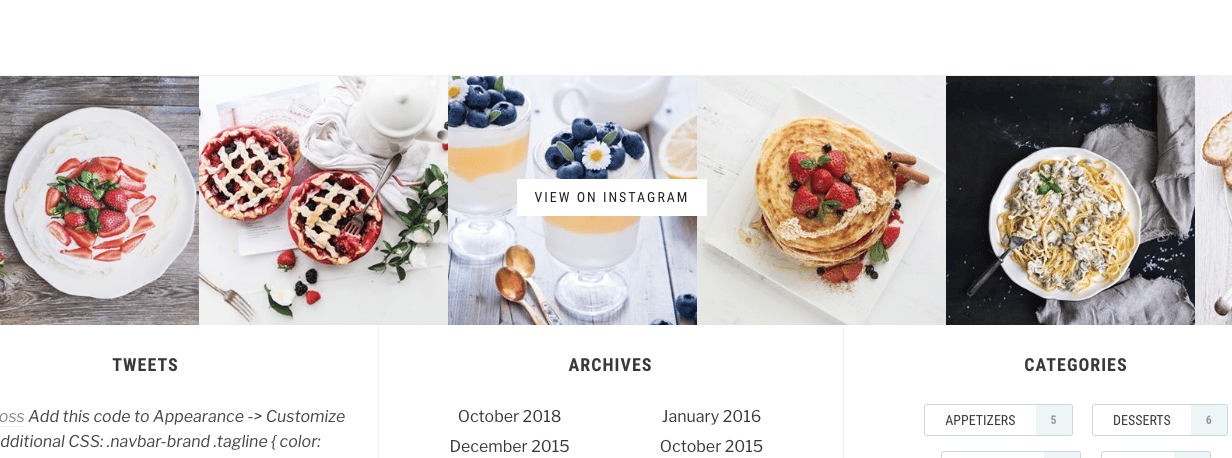
In this area you can place the Instagram widget which you can get by installing our free plugin Instagram Widget by WPZOOM
1. Install the Instagram widget by WPZOOM plugin (From Plugins > Add New page)
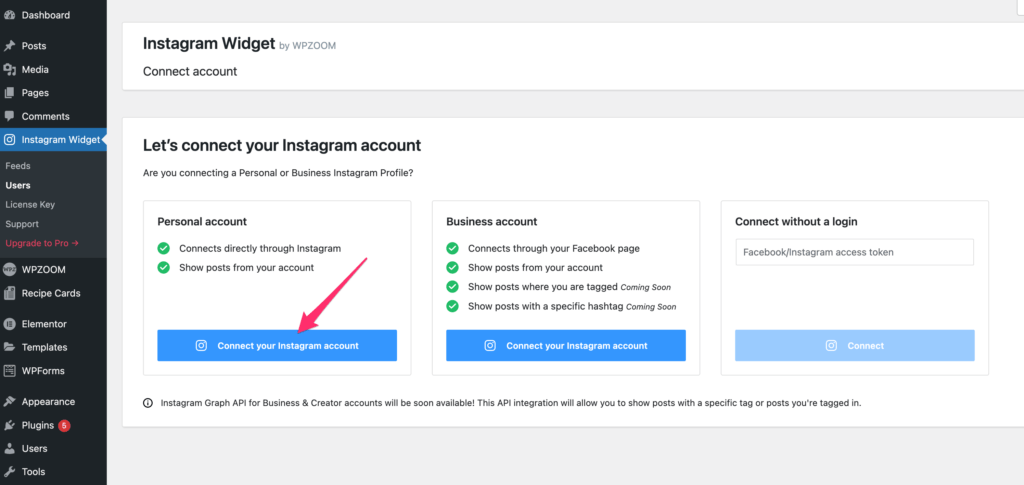
2. Activate the plugin and connect it with your Instagram account in Instagram Widget > Users page:
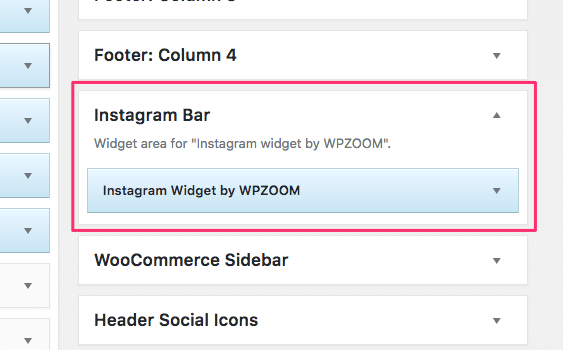
3. Go to the Widgets page and add the Instagram Widget by WPZOOM widget in the Instagram Bar area:
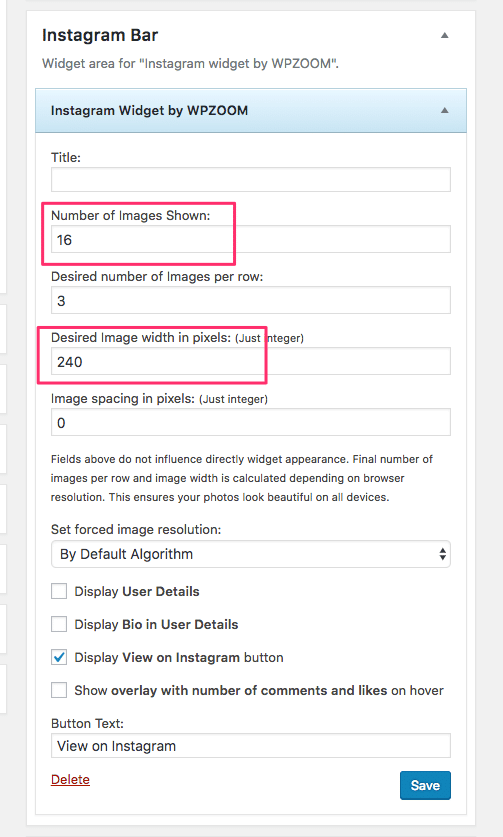
4. In order for the Instagram bar to fill entire width with images, we recommend increasing the number of images to something like 14-20 and the Image size to 240px or larger: