The handful of things support gets asked about most, and what to do about each.
The slider excludes sticky posts by design — sticky posts can’t be reliably ordered, which makes for an unpredictable slider.
If a post is marked both Featured in Homepage Slider and Sticky, it won’t show in the slider. Uncheck Stick this post to the front page in the editor and it will appear.
See How to Make a Sticky (Featured) Post.
Almost always this means a static page is set as your front page, which switches off the theme’s own homepage sections — the slider, the homepage widget area and the recent-posts grid.
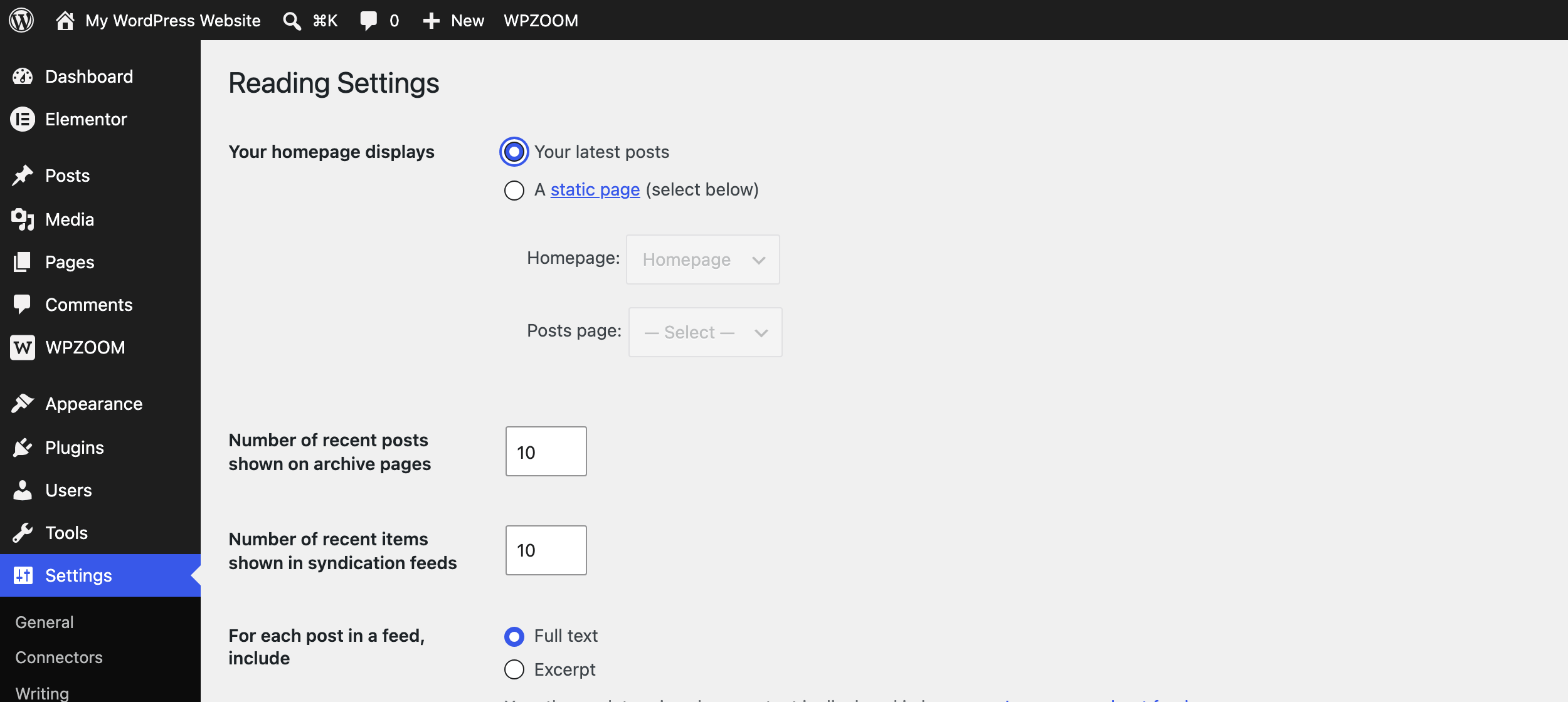
To get the Classic homepage back, go to Settings → Reading and set Your homepage displays to Your latest posts:
If you’d rather keep a static front page and build the layout yourself, that’s the Elementor route — or one of the block-based Modern / Minimal designs.
Foodica has a separate Mobile Menu location. If nothing is assigned to it, no menu appears on small screens.
Go to Appearance → Menus → Manage Locations and assign a menu to Mobile Menu. See Menus & the Mobile Menu.
This usually happens after switching to Foodica from another theme: your existing images were never cropped at Foodica’s sizes.
Regenerate your thumbnails and they’ll be re-cropped. Do the same after changing an aspect-ratio setting.
If new uploads look soft, check that your originals are large enough — see Recommended Image Sizes.
If you’ve edited settings and the site looks unchanged, a caching layer is usually holding the old version: clear your caching plugin, any CDN cache, and your browser cache — in that order.
See also:
