
New Inspiro AI Demo Generator — can't find the perfect demo? Describe your website and AI builds a custom one in about 2 minutes. Learn more →
W

WPZOOM Portfolio PRO Changelog

Latest: v1.5.1 20 releases

About WPZOOM Portfolio PRO Roadmap & ideas

WPZOOM Portfolio PRO v1.5.1

WPZOOM Portfolio PRO 1.5.1

Vimeo video playback fix

This release fixes an issue with private and unlisted Vimeo videos not playing in the video lightbox due to the privacy hash being dropped from the embed URL.

Fixed

  • private and unlisted Vimeo videos (links with a privacy hash, e.g. vimeo.com/ID/HASH or player.vimeo.com/video/ID?h=HASH) did not play in the video lightbox because the privacy hash was dropped from the embed URL
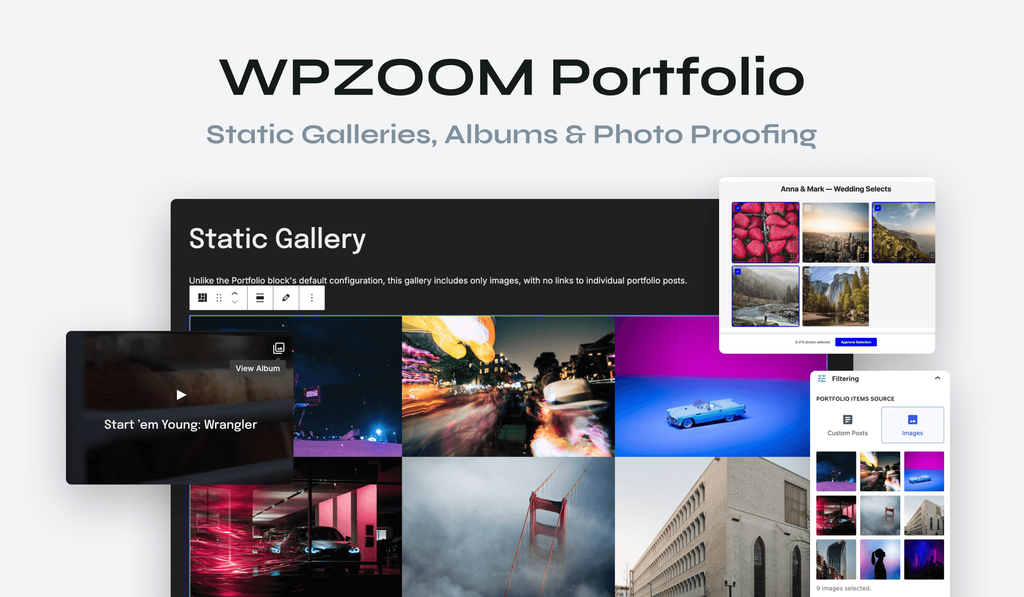
WPZOOM Portfolio PRO v1.5.0

WPZOOM Portfolio PRO 1.5.0

New Project Details panel

This update introduces a new Project Details panel in the block editor sidebar, enhancing usability and allowing for clickable director links. Additionally, users can now customise field labels and display project details in any theme using shortcodes.

New

  • Project Details panel in the block editor sidebar — replaces the old metabox, which now appears only when the Classic Editor is used. Existing values are preserved.
  • Director URL field in Project Details — when filled in, the director name becomes a clickable link in themes that support it.
  • rename the Project Details field labels in Portfolio → Settings → Project Details Field Labels (e.g. use "Designer" instead of "Director").
  • display Project Details in any theme with the [wpzoom_portfolio_project_details] shortcode or the wpzoom_portfolio_project_details() PHP template tag. [Learn more](https://www.wpzoom.com/documentation/wpzoom-portfolio-grid/pro-how-to-display-project-details-in-a-classic-theme/)

Improved

  • the "Custom Post Types" setting no longer lists internal post types (Font Families, form entries, and other utility post types).
WPZOOM Portfolio PRO v1.4.0

WPZOOM Portfolio PRO 1.4.0

New

  • New feature: Album Gallery — give any portfolio item its own set of images in the new "Album Gallery" panel (Portfolio Item editor, right under Featured Image).
  • New feature: Static Gallery — the Portfolio block's new "Portfolio Items Source" option lets you build a gallery straight from images in the Media Library, without creating portfolio posts first.
WPZOOM Portfolio PRO v1.3.0

WPZOOM Portfolio PRO 1.3.0

New

  • New feature: Photo Proofing – share private galleries with your clients and let them select their favorite photos.
  • choose the action when clicking on items in the portfolio block: open the single portolio page or open the lightbox = 1.2.5 = New option: Make Entire Item Clickable
WPZOOM Portfolio PRO v1.2.2

WPZOOM Portfolio PRO 1.2.2

Fixed

  • PRO version was ignoring the new "Item Border Radius", "Button Border Radius", and "Hide Title on Hover" options added in the free plugin (PRO replaces the block render entirely, so the free plugin's CSS for those options never ran). PRO now emits the same rules.
  • fixed a reflected XSS in the `wpzoom_load_more_items` AJAX handler by sanitizing the `class` value before it is used in output and restricting it to CSS-class-safe characters.
WPZOOM Portfolio PRO v1.2.1

WPZOOM Portfolio PRO 1.2.1

New

  • Self-hosted video trimmer in the Video Background on Hover feature
  • "Capture frame as Featured Image" tool for self-hosted MP4 videos — pause the preview at any moment and set that frame as the post's Featured Image (available in Video Lightbox, Video Background on Single Post, Slideshow Video Lightbox, Slideshow Video Background, Posts/Pages "Video Background in Header", and Video Background on Hover)

Improved

  • Improvements to the Video Background on Hover feature
WPZOOM Portfolio PRO v1.2.0

WPZOOM Portfolio PRO 1.2.0

New

  • Added a dedicated Video settings tab for video lightbox options
  • Added Self-Hosted Video Player option: WordPress MediaElement or Native HTML5
  • Added Video Player Style option for MediaElement: Minimal, Liquid, Default
  • Added Video Lightbox Border Radius option and applied radius to self-hosted videos and YouTube/Vimeo iframes
  • Added Video Lightbox Icon option in block settings with 5 icon styles

Improved

  • Improved self-hosted video sizing in lightbox with viewport-based max width/height
  • Improved lightbox behavior to stop/pause self-hosted videos when navigating between items
  • Refreshed lightbox arrows with modern styling

Fixed

  • Fixed MediaElement initialization for videos loaded via Load More

Have an idea or a feature request?

Tell us what you’d like to see next and vote for ideas from other WPZOOM users.