Whether you run a food blog or occasionally need to share recipes with your readers, having a plugin that lets you easily add recipes to WordPress will save you a ton of time.
A recipe card plugin makes it easy to quickly add recipes to your website and present them in a delightful way. This is also a great way to deliver a good user experience and encourage people to bookmark printable recipes.
In this article, we’ll show you step-by-step how to add recipe cards in WordPress using the Recipe Card Blocks plugin. We’ll also explain how you can customize the recipe card in a variety of different ways.
Let’s put everything into context before we begin.
Why You Might Want to Share Recipes
There are plenty of scenarios where you might want to share recipes with your readers.
If you run a food blog, you need an easy way to share recipes with readers in the most engaging way possible. With a recipe card plugin, you can add recipes to WordPress in a few simple steps. Ideally, you’d want to go with a recipe card plugin that you can customize to match your branding.
We also recommend using a WordPress food blog theme so readers get the best possible experience on your website. Our best advice is to use a food blog theme like Foodica, Gourmand, or Cookely.
Even if you don’t have recipes of your own to share, you might want to curate recipes occasionally for your readers. For example:
- Weight watchers. If you have a weight watchers blog, you might want to share low-calorie meal recipes with your readers.
- Intermittent fasting. You could create a series of recipes that help people practicing intermittent fasting eat healthy.
- Bodybuilding. If you run a bodybuilding website, your followers might be interested in meal plans. You could offer recipes to go with the recommended meals.
Similarly, if you’re a chef, you might want to share recipes with your audience through your business website.

Many chefs choose to share recipes with people who sign up for their paid membership program.
How to Add Recipe Cards to WordPress Using Recipe Card Blocks
As a WordPress website owner, there are a few different ways you can add recipes to WordPress.
You could simply write them in a WordPress post as you would with any other blog post. The problem with this is that it becomes difficult to maintain consistency. Another way to add recipes to WordPress is by creating a custom post type. However, this requires a fair amount of technical knowledge and can be difficult to manage on the back-end.
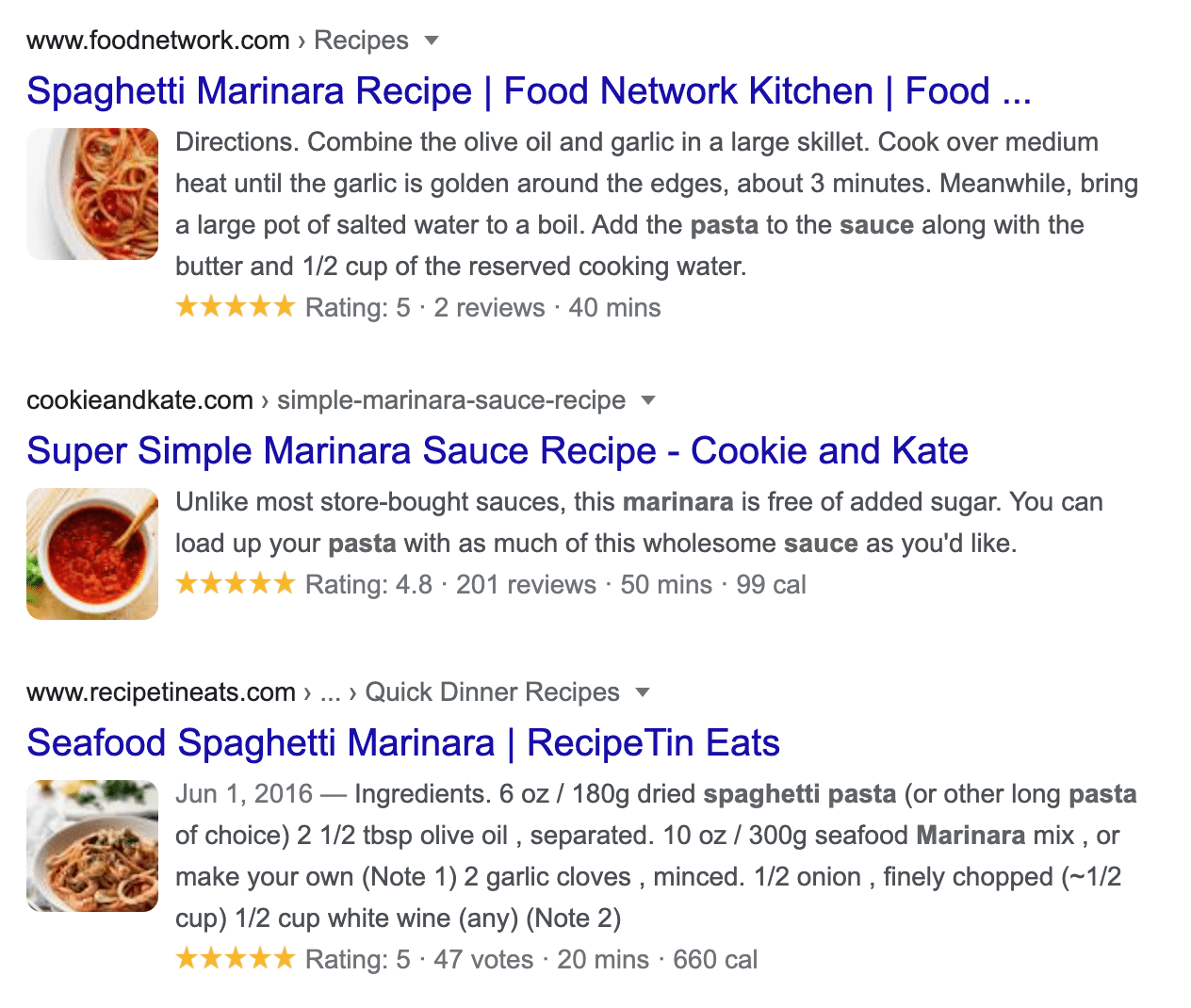
Arguably the easiest way to add recipes to WordPress is by using the Recipe Card Blocks plugin. It lets you use a pre-designed recipe card template to fill out your recipe and publish it on your website. The best part is that it automatically adds schema markup to your recipes so they show up in search engine results pages, enabling you to drive organic traffic to your food blog.
Here’s what you’ll need to add recipes to WordPress using the Recipe Card Blocks plugin:
- A WordPress website with a food blog theme (we’re using the Foodica theme!)
- The Recipe Card Blocks plugin
- Some recipes that you want to share with readers
Step #1: Get the Recipe Card Blocks Plugin
If you haven’t done so already, get Recipe Card Blocks and install it on your WordPress website.
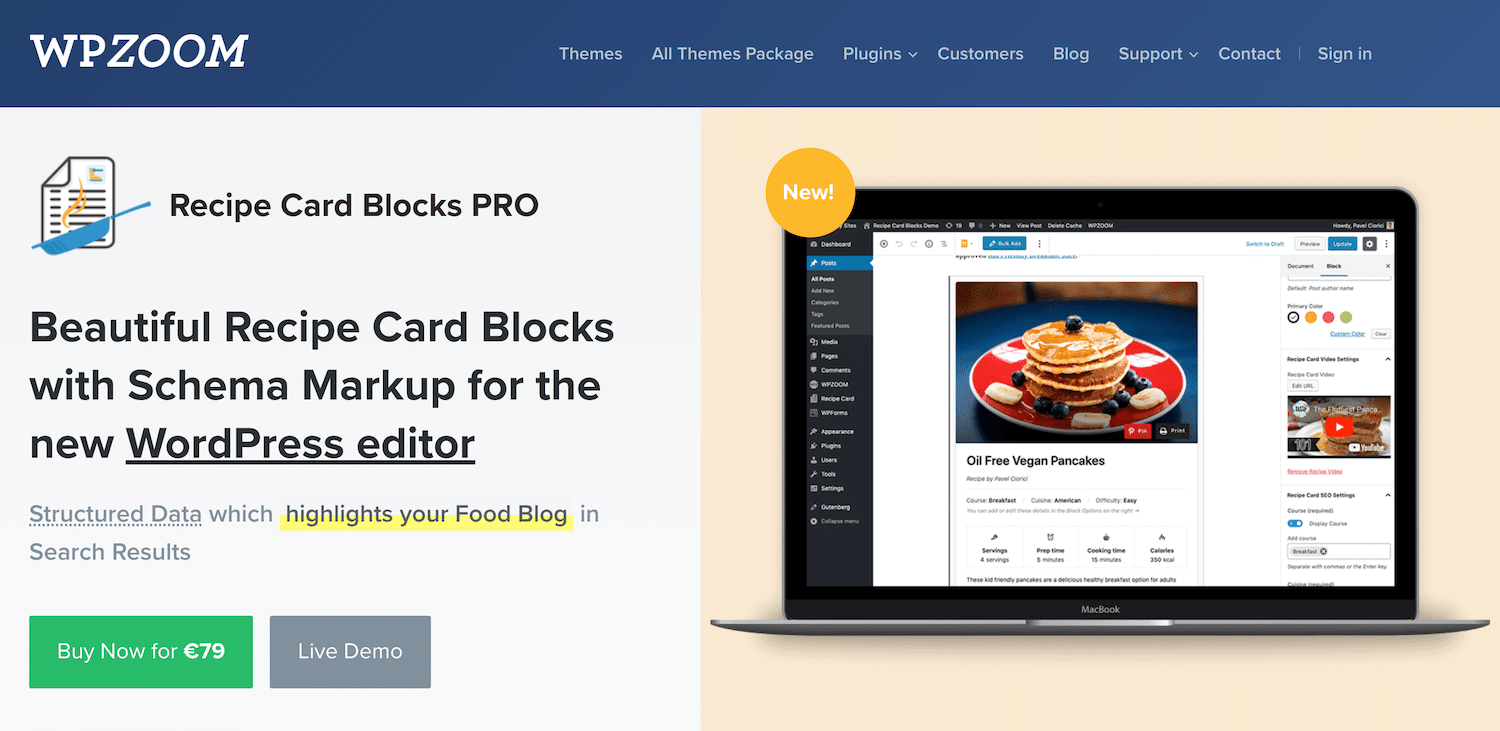
Once that’s done, navigate to Recipe Card > Settings from the WordPress admin panel and activate the license key. Click the Activate License button to proceed.
Step #2: Create a Recipe Card
Recipe Card Blocks works with WordPress’ latest Gutenberg editor. This means that you can simply add a recipe card block to any page or post on your website. Here’s what you need to do:
Create a new page or post in WordPress and give it a suitable title. Next, search for the recipe card block by typing in “recipe” and add the Premium Recipe Card to your post.
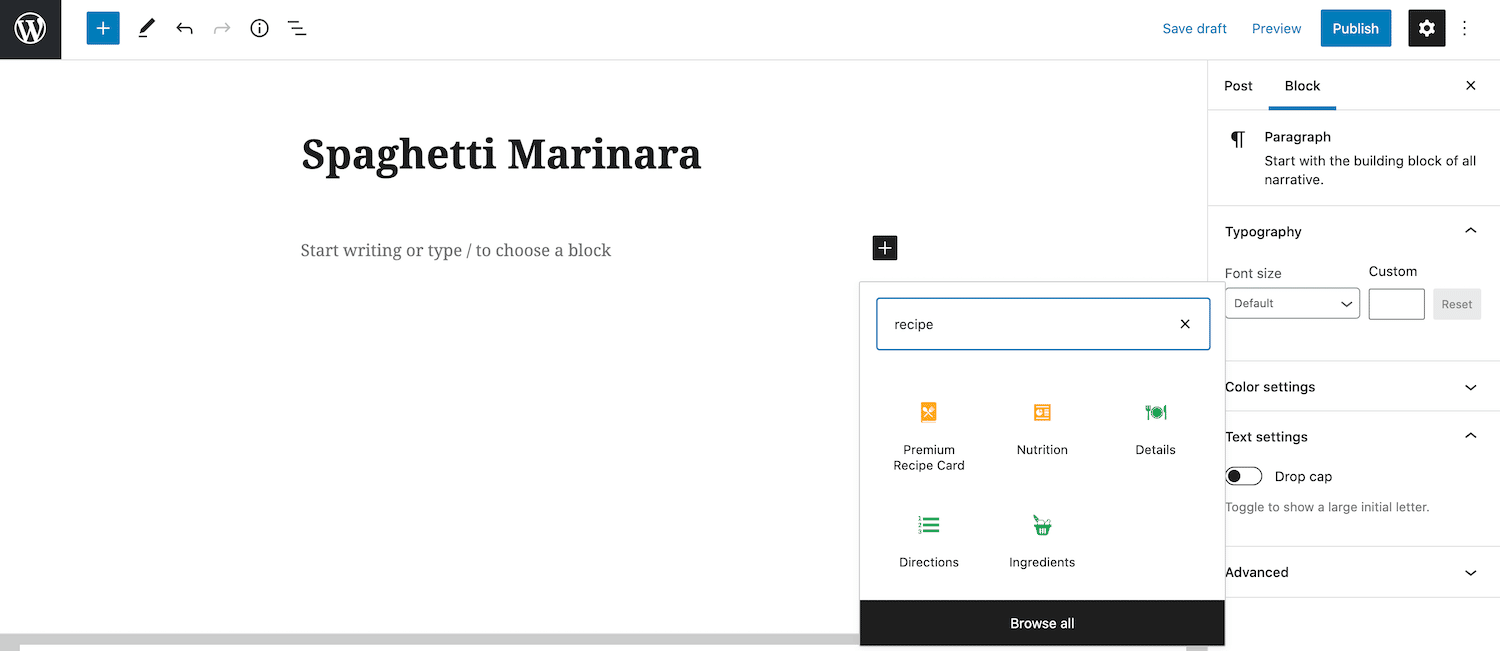
The Recipe Card Blocks plugin automatically adds a recipe card template to your post that you can add your recipe to. More specifically, it lets you add:
- Recipe card image
- Title and author
- Course, cuisine, and difficulty
- Servings, preparation time, cooking time, and calories
- Ingredients (with amount and unit)
- Step-by-step preparation directions
- Recipe video
- Any additional notes
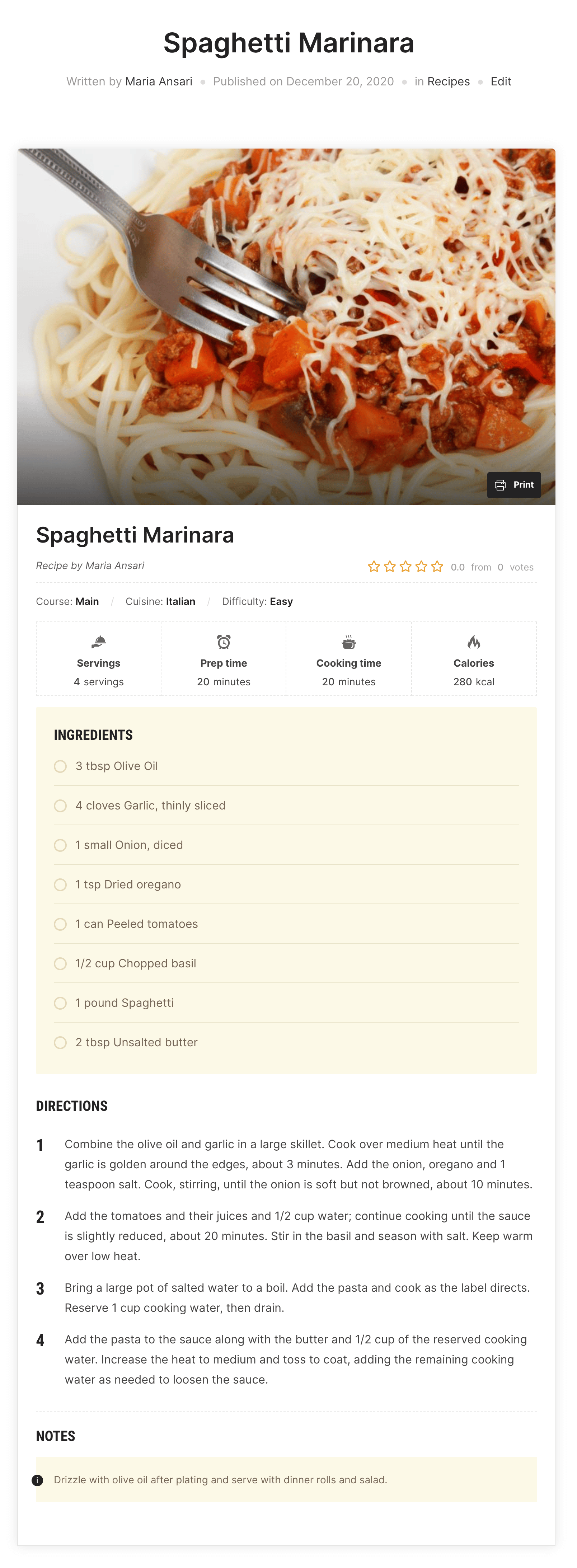
Once you’re done filling out the recipe card with your own recipe, it might look something like this:
Step #3: Customize the Recipe Card
Recipe Card Blocks lets you customize your recipe cards in a variety of different ways. The best part is that you can do this directly from the WordPress editor and preview your design live.
As a professional, you should customize your recipe card to get the exact look and feel you want. For example, you could tweak its design to better match your branding, improve readability, and delight visitors.
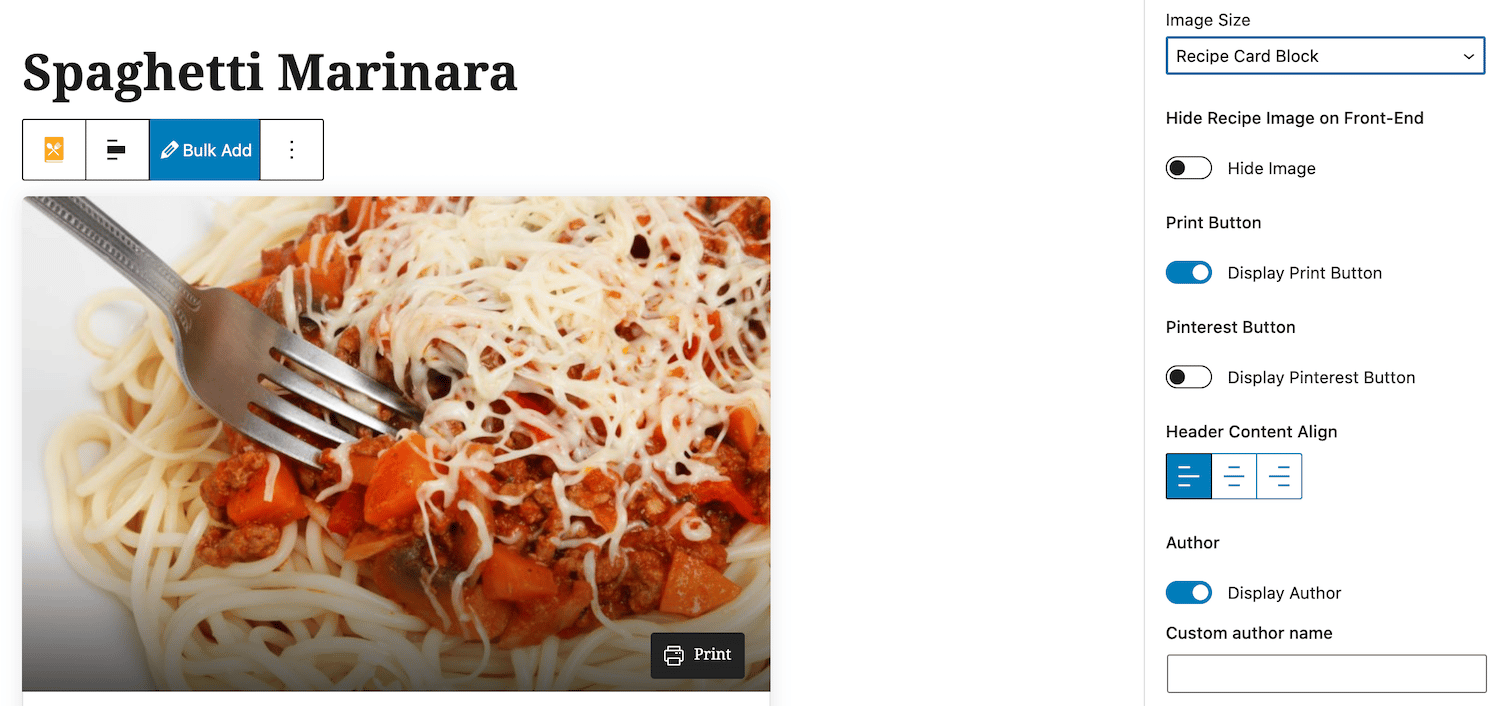
The Recipe Card Blocks plugin comes with four different layout styles – Default, New Design, Simple Design, and Accent Color Header. You can also set the recipe card’s color scheme and play around with different image sizes.
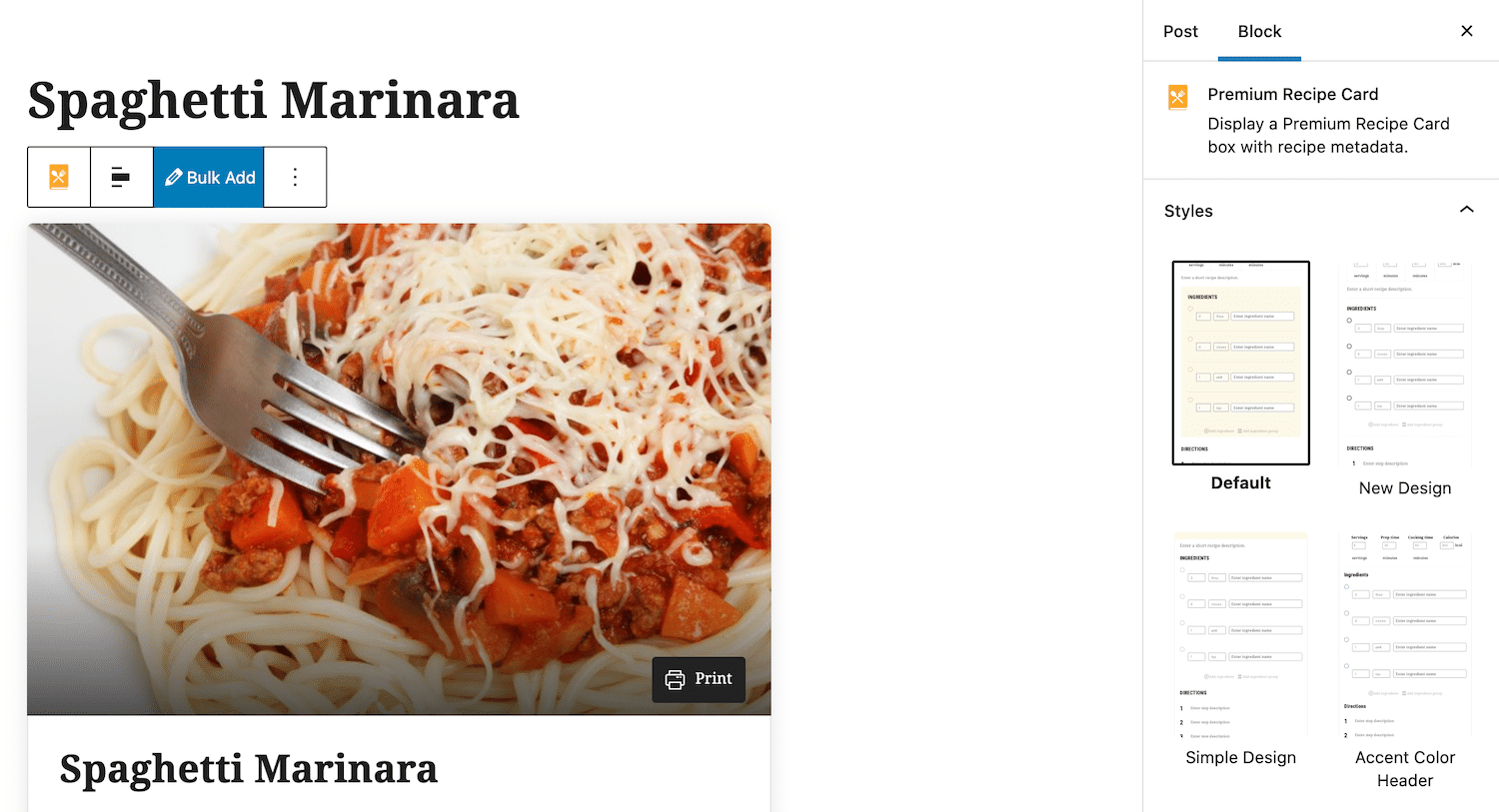
The plugin also lets you show (or hide) recipe fields and buttons on the front-end. For example, you can choose to show a Print button if you want to let visitors print the recipe card.
Bonus: Add Nutrition Information
Depending on the type of food blog you’re running, you might consider publishing nutrition information for the recipes you share.
Adding nutrition information to your recipes is a great way to deliver a better user experience to nutrition-minded readers. This way, they won’t have to calculate nutrition information for the recipe themselves. Nutrition information is particularly helpful to readers who are watching their weight or those on a specific diet plan such as bodybuilders.
One of the key benefits of using the Recipe Card Blocks plugin is that it comes with a block for adding nutrition information to your posts. This means that you can add nutrition information for each recipe you add to your food blog.
Here’s what you need to do:
Add the Nutrition block to your post or page. This will add a nutrition information template to the post similar to what you see on the back of food items.
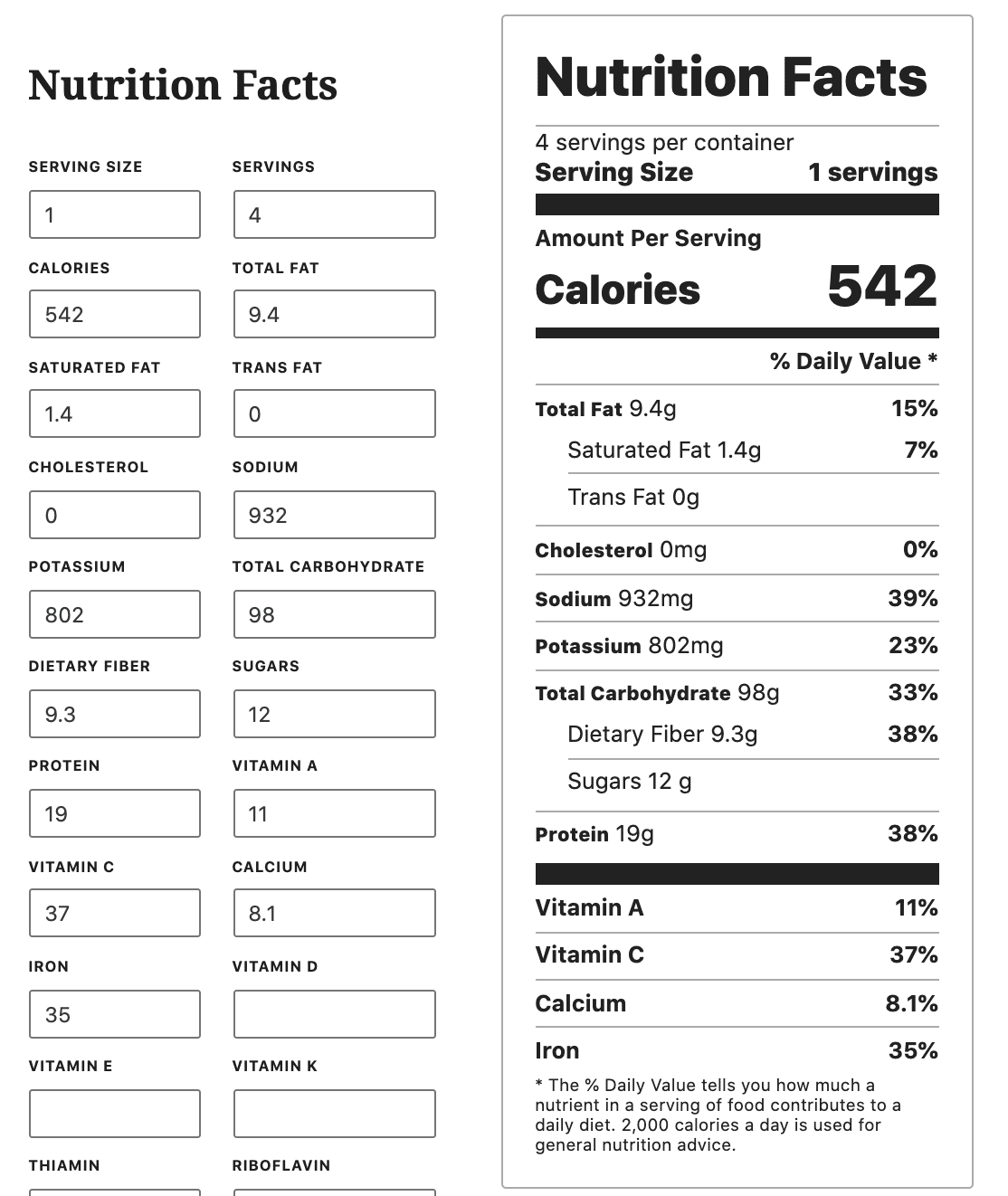
All you have to do is fill out the Nutrition Facts boxes with nutrition information. It allows you to enter information about calories, total fat (as well as saturated fat and trans fat), cholesterol, sodium, sugars, dietary fiber, protein, vitamins, and much more.
Conlusion on Adding Recipe Cards to WordPress
The Recipe Card Blocks plugin makes it easy for anyone running a food blog or cooking blog to add recipes to their website. You can customize the recipe cards to get the exact look and feel you want.
The plugin also lets you add nutrition information to your recipes which is a great way to deliver more value to your blog followers. In addition to this, your recipes will include schema markup which means search engines and social media platforms will display them in a neat way encouraging people to click.
Ready to create professional-looking recipe cards for your food blog? Get Recipe Card Blocks today!