FLASH SALE Get 20% OFF everything using the coupon code: FLASH20 View Pricing Plans →
Looking for a Gallery plugin compatible with the new WordPress Block Editor?
Try Block Gallery plugin!
Slideshow Shortcode is a feature included in all WPZOOM themes that displays all images attached to a post in a slideshow.
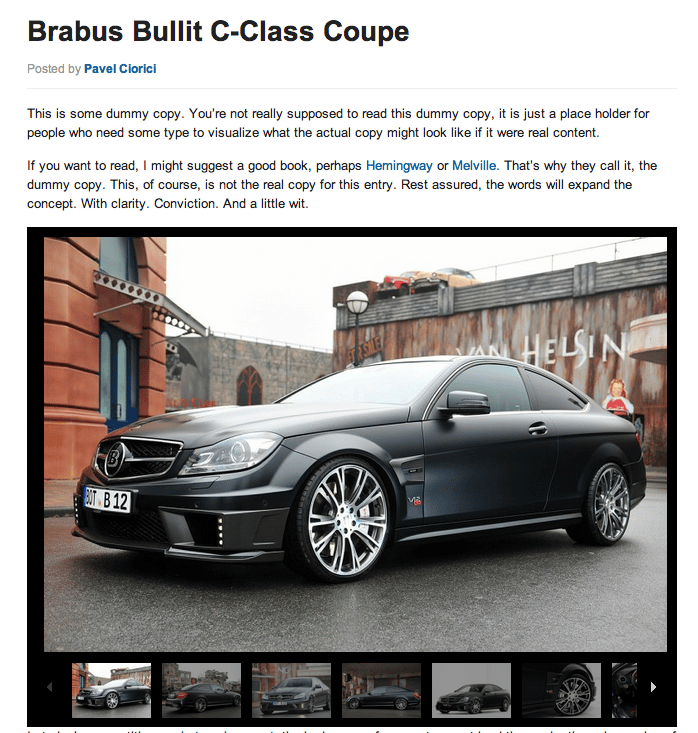
Slideshow example in LitePress theme
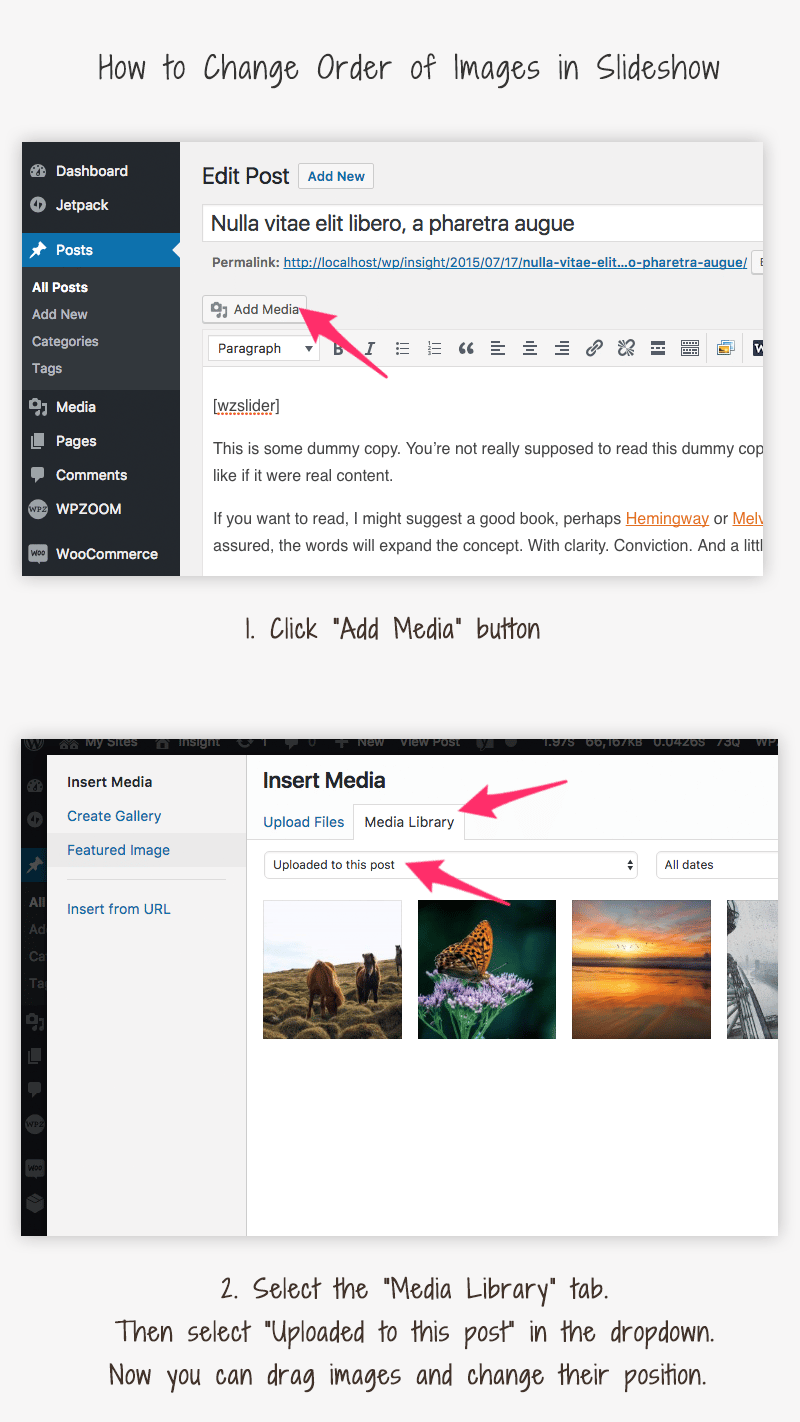
The slideshow can be inserted anywhere in the post content by using the shortcode [wzslider] or clicking the following button from the Editor:
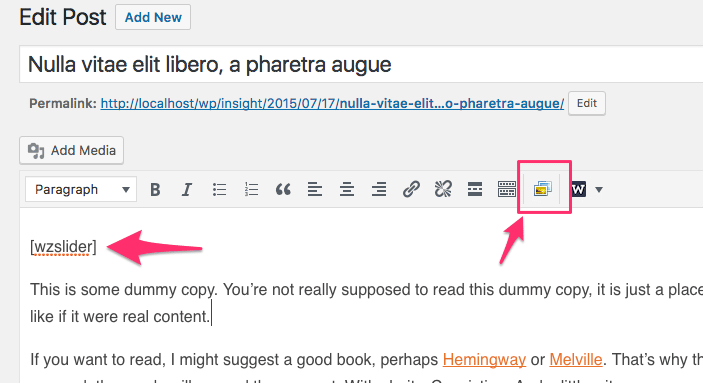
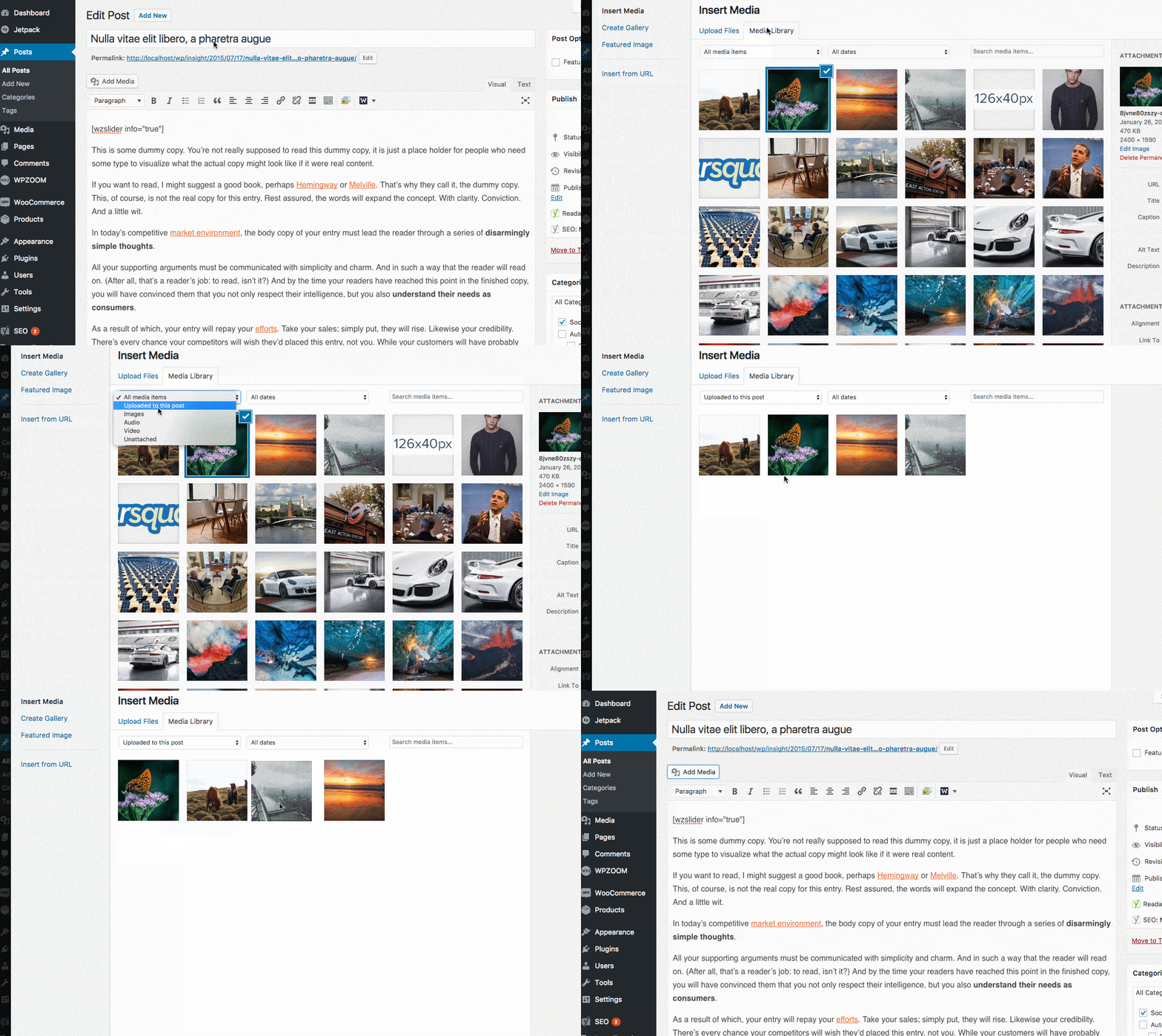
You can change the order of images, by clicking the Add Media button, and then select to display Images uploaded to this post.
Now you can drag images and change their position as you want.
No other steps are needed, as the changes will appear instantly in the slideshow.