The Settings screen holds the options that apply to every protected form: how fast a form may be submitted, how long logs are kept, whether logged-in users are checked, and Test Mode. The defaults suit most sites; this article explains when you might change them.
Table of Contents
Go to WPBruiser → Settings. Change what you need in the WPBruiser General Settings box and click Save Changes.
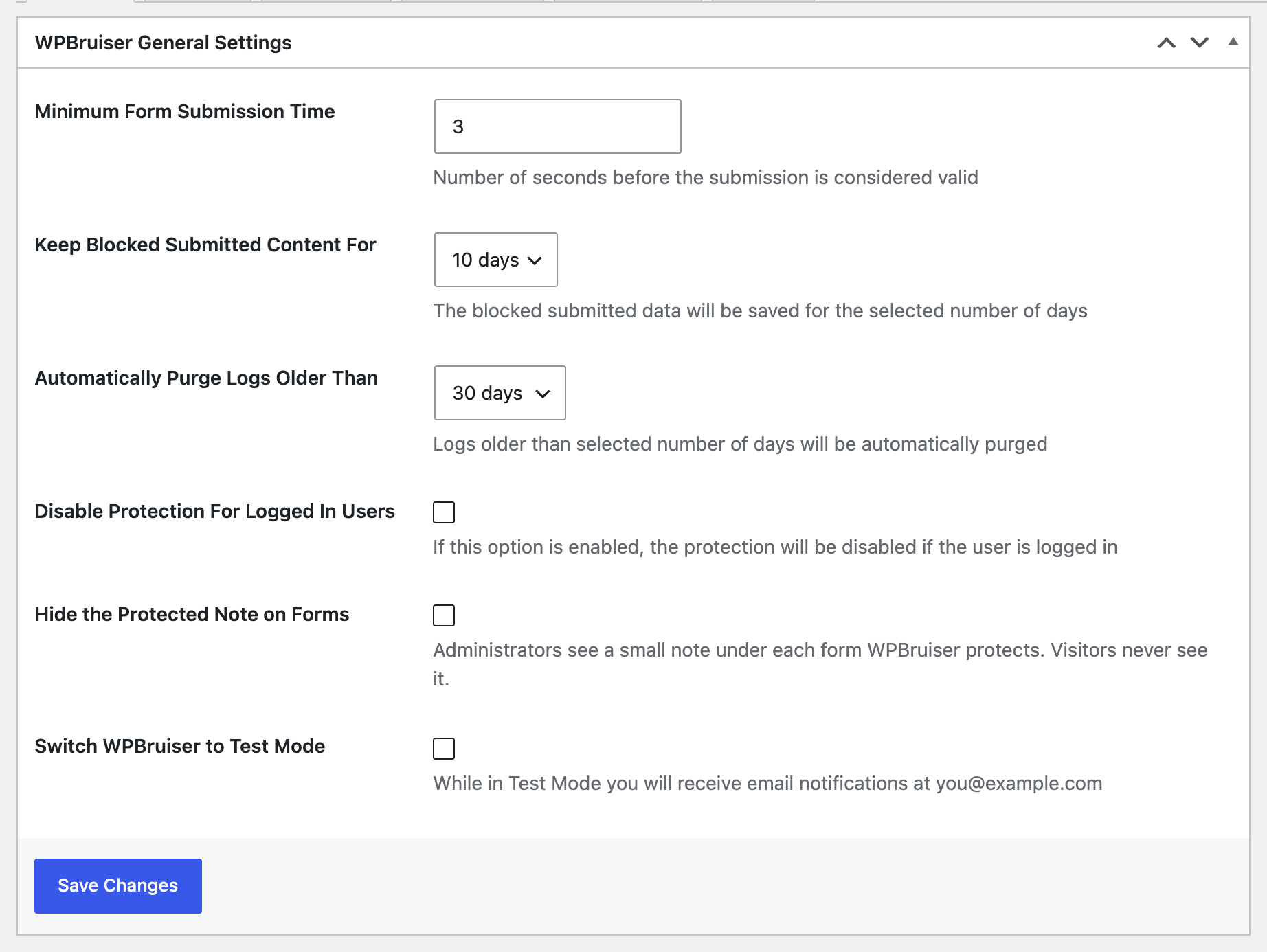
| Option | Default | What it does |
|---|---|---|
| Minimum Form Submission Time | 3 seconds | Submissions sent sooner after the page loaded are rejected |
| Keep Blocked Submitted Content For | 10 days | How long the fields of blocked submissions are kept for Reports (0–30 days) |
| Automatically Purge Logs Older Than | 30 days | How long blocked attempts are kept (0–180 days; 0 turns logging off) |
| Disable Protection For Logged In Users | Off | Skip the check for anyone who is signed in |
| Hide the Protected Note on Forms | Off | Hide the note administrators see under protected forms — see Testing That Protection Works |
| Switch WPBruiser to Test Mode | Off | Check without blocking, and email every result — see Testing That Protection Works |
Bots fill in and send a form almost instantly; people take at least a few seconds. A submission that arrives sooner than this many seconds after the token was issued is rejected as Token Submitted Early.
Login forms are exempt, so password managers that fill in and submit a login form instantly keep working.
The default of 3 seconds rarely affects real visitors. Lower it if you have a one-field form, such as a newsletter sign-up, that people complete very quickly; raise it if Reports shows bots getting through with a valid token.
WPBruiser logs every blocked attempt and, separately, keeps what was submitted so you can inspect it in Reports.
When this is on, signed-in users skip the check on every protected form. Turn it on if logged-in members use forms in ways that keep the script from running, for example forms loaded inside an app. Leave it off on sites with open registration, where a bot could create an account and then post freely.
The second box on this screen tells WPBruiser where to find the real visitor IP address when your site is behind a proxy or CDN. See Getting the Right Visitor IP Behind Cloudflare or a Proxy.
