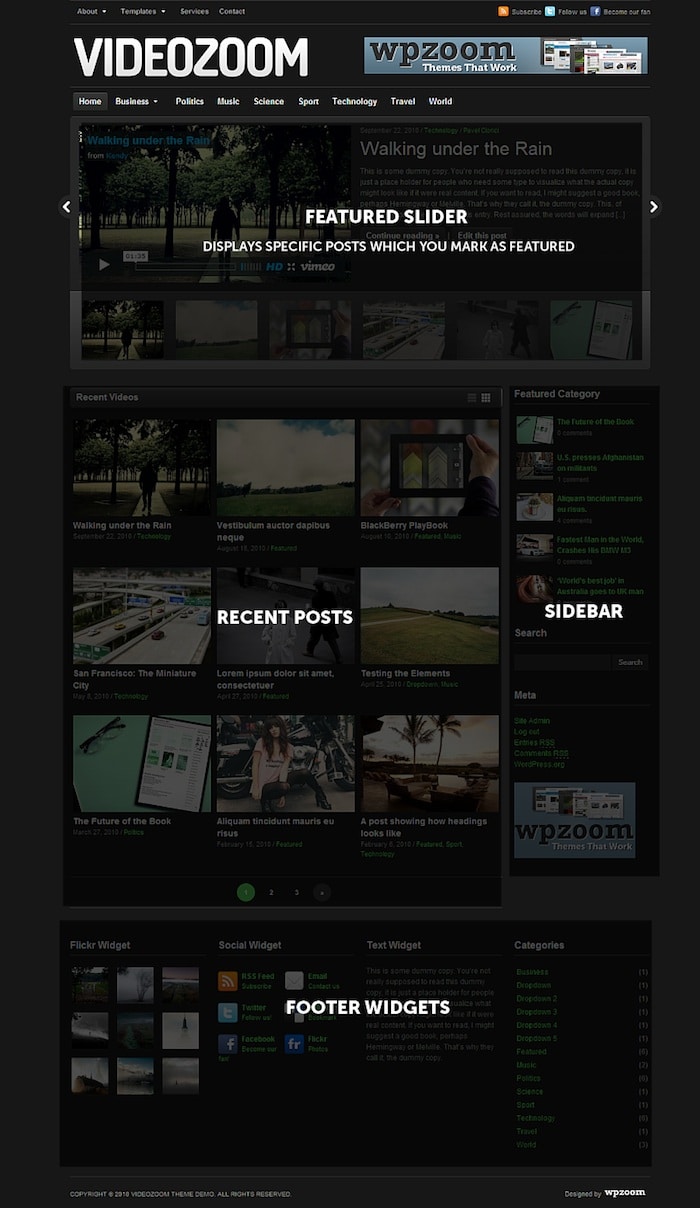
To get quickly the same look of the theme as in the demo see here instructions to Import the Demo Content.
Setting up the Featured Slider
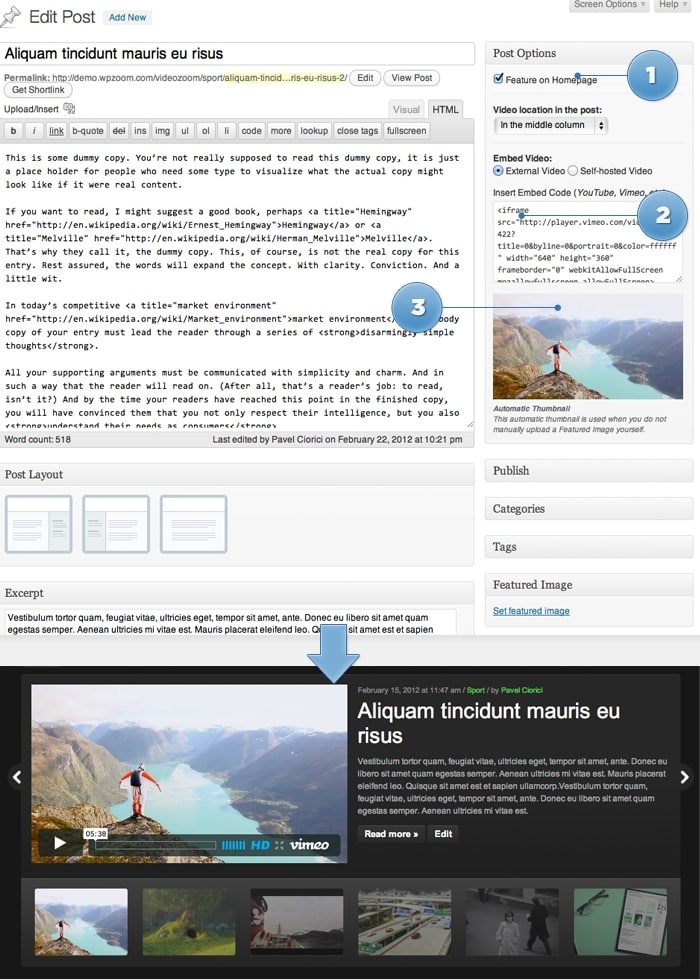
To add a post in the Featured Slideshow, mark the Feature on Homepage option from editing page.
Optionally you can display a video in the slider by inserting embed code in the Embed Video field. Don’t insert just the URL of the video, but FULL embed code.
When embedding videos from YouTube or Vimeo, a thumbnail will be generated automatically. You can override it uploading manually a Featured Image. For the rest videos you will also have to upload a Featured Image, which will be displayed on archive pages.
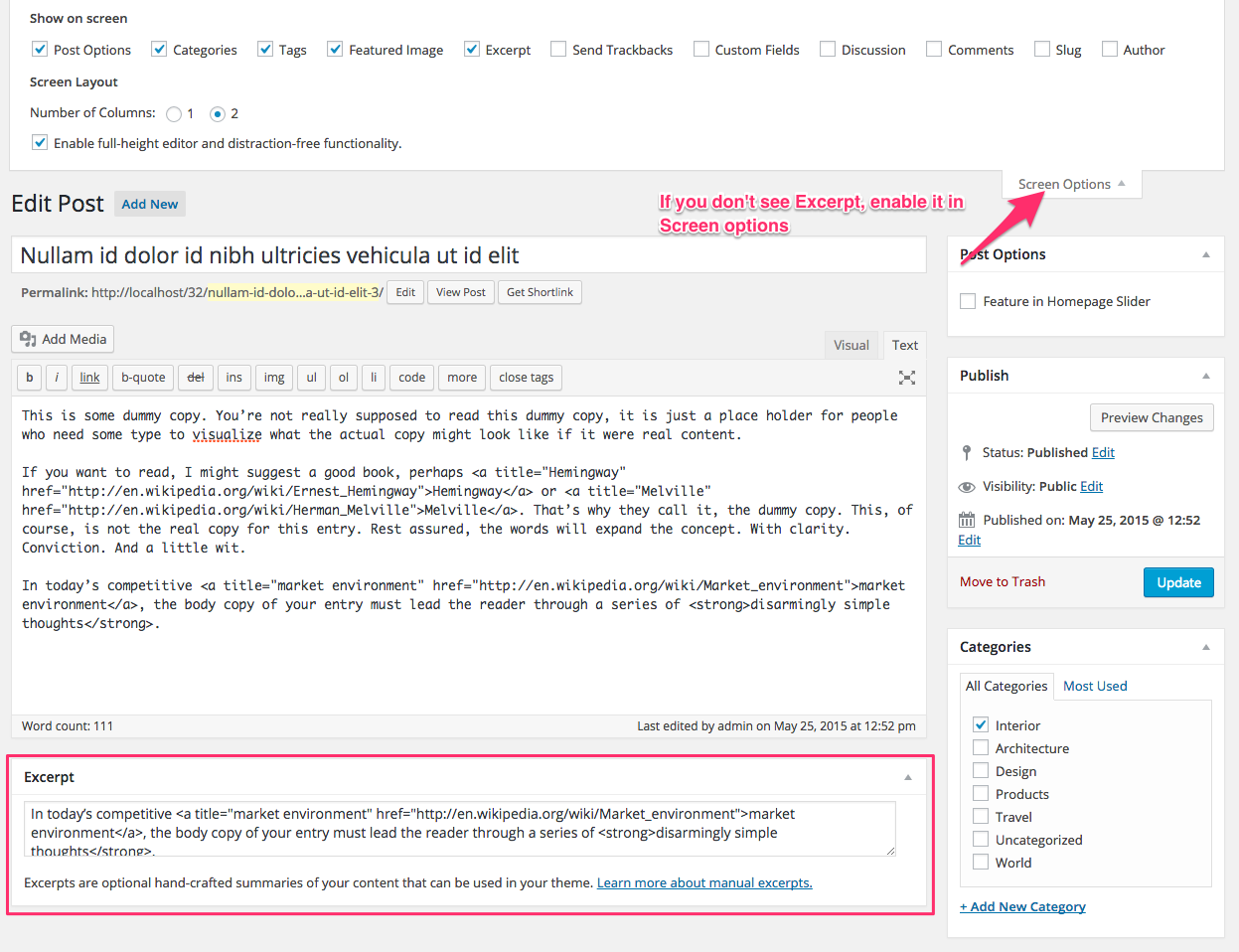
You can adjust text appearing in a slide from Excerpt box, otherwise automatically will appear first 50 words from your post
Good to know
It’s recommended to turn off slideshow auto-rotation feature if you have videos in your slider, so you can prevent auto-rotation when a video is being watched.
The slider will work properly only when there are at least 2 featured posts.
From Theme Options -> Slider Settings you can adjust different options of the slider, like effect, auto-rotation.
Notes about Automatic Video Thumbnails
Automatic Video Thumbnails are generated only for YouTube, Vimeo, and DailyMotion at this time.
You must use an HTML embed code, not a link to the video.
The video must not be set to “private” or otherwise hidden from public access.
The video must have a thumbnail image available via oEmbed.
Your server must allow remote file requests and downloading of remote files.<l/i>
Your server must not block the use of oEmbed.
Some video services will limit the amount of requests allowed from certain sites. If you have MANY videos on your site that are all using the auto thumbnail functionality, some of the thumbnails might not work due to the video service limiting your requests to their API
You must use the new embed code offered by each video service. Many video services (such as YouTube and Vimeo) have the option to use their “old” embed code. You must only use the new embed code for the auto thumbnail functionality to work.
Widgets
To add widgets in the Sidebar or Footer of this theme, you’d need to access Appearance -> Widgets menu, and drag widgets to your Sidebar to activate them.
This theme includes 3 Custom Widgets which are ready to use:
WPZOOM: Gallery (Flickr)
WPZOOM: Social Connections
WPZOOM: Featured Posts
Load Default Widgets
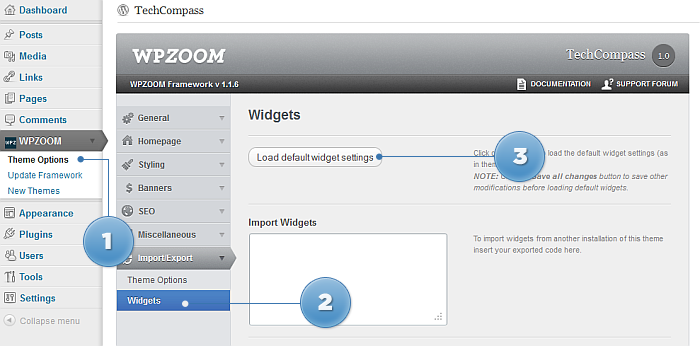
From Theme Options you can load automatically default widgets, exactly as in theme demo. All you have to do is to navigate to Theme Options -> Import/Export -> Widgets and click the button Load default widget settings
FAQ
How do I change summary content (Excerpt) for a post?
On editing page of a post, look for a field called Excerpt. You can add here summaries for your posts each time you want to adjust manually the length of text which appears in Slider, Recent Articles, Post Archives or when you simply want to have a different text than the automatically picked excerpt.
How can I change the number of posts on homepage?
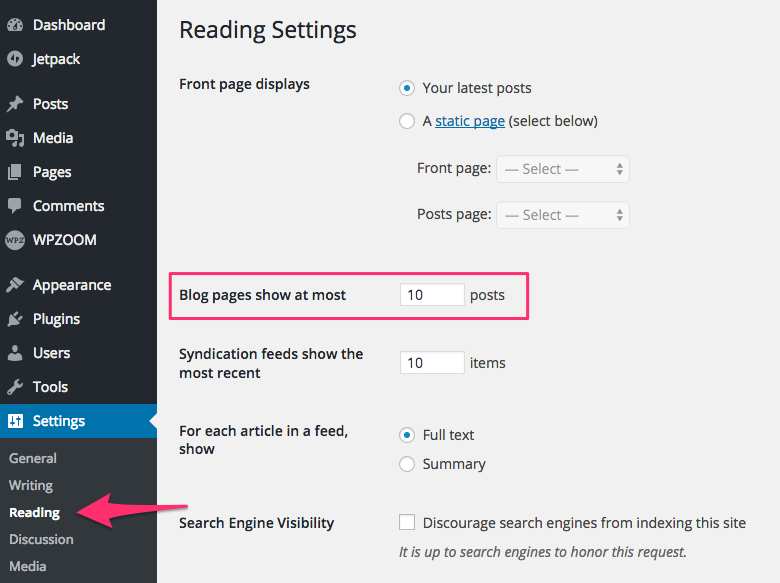
Go to Settings > Reading
Find Blog pages show at most option, and change the number of posts.