New Inspiro AI Demo Generator — can't find the perfect demo? Describe your website and AI builds a custom one in about 2 minutes. Learn more →

Knowledge Base

Documentation

Theme Documentation


Plugin Documentation


Resources

Tribune — The Featured Slider (with Video Support)

This article refers to Tribune

The featured slider headlines the Tribune homepage — and it can even play videos in slides.

Featuring a post

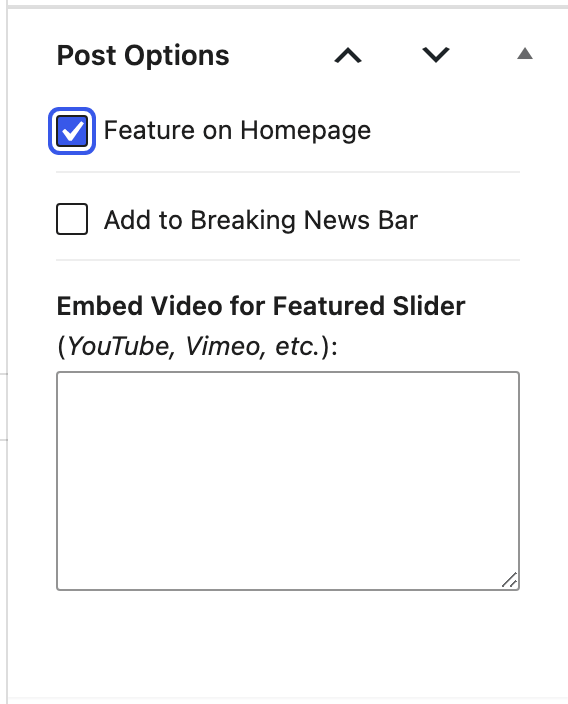
  1. Edit the post and check Feature on Homepage in the Post Options box.
  2. Make sure the post has a Featured Image — that’s the slide background.
  3. Update the post.
The Post Options box

Faster for bulk changes: the Posts screen has a Featured column — click the star to feature or un-feature posts directly, and Posts → Featured Posts lists only the featured ones.

The Featured column on the Posts screen

Showing a video in a slide

Paste the video’s embed code (the iframe HTML from YouTube, Vimeo, etc. — Share → Embed) into the Embed Video for Featured Slider field in the same Post Options box. The slide then shows the playable video instead of the featured image.


Slider settings

Go to WPZOOM → Theme Options → Homepage → Featured Slider:
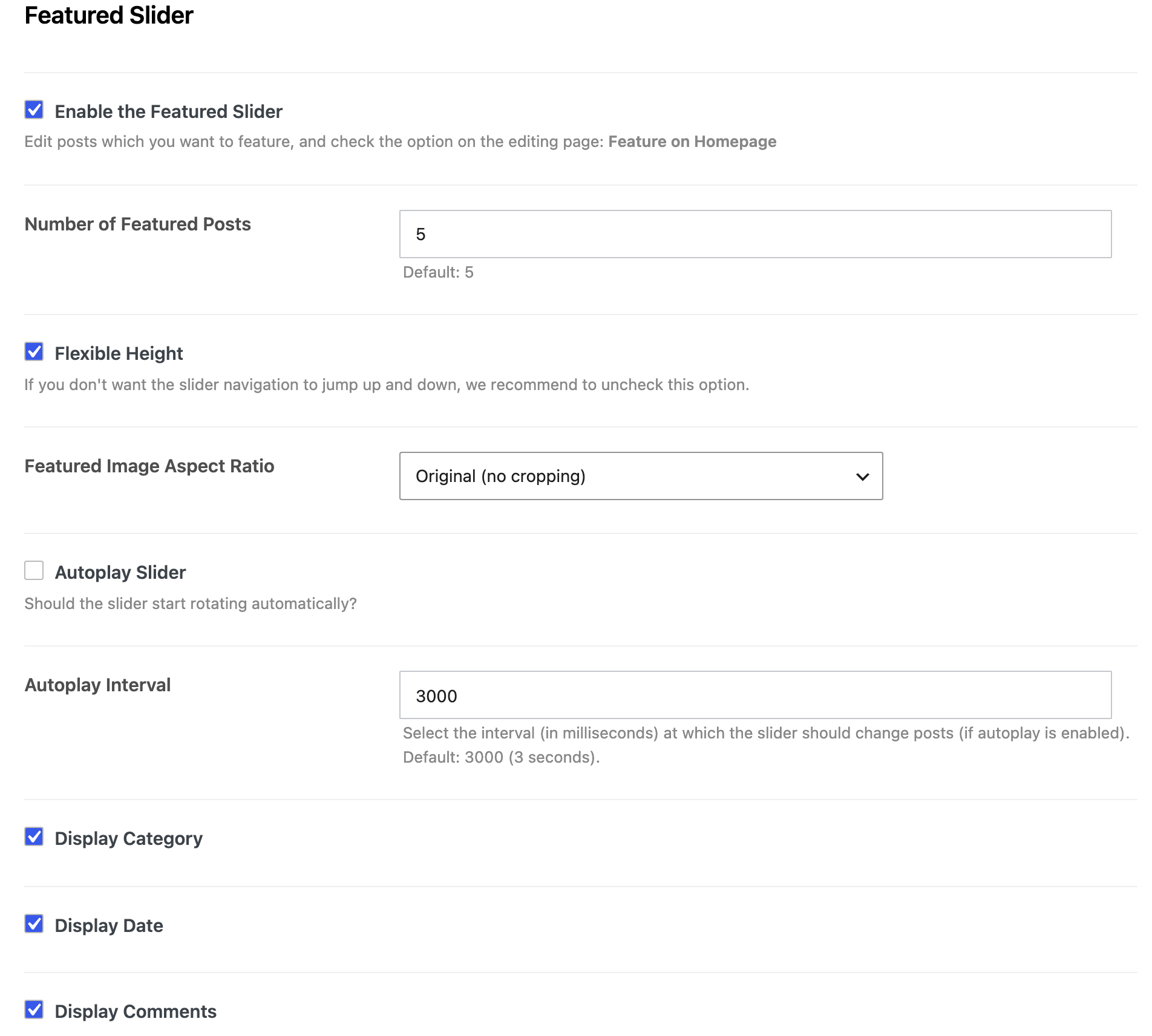
Featured Slider settings
  • Enable the Featured Slider and Number of Featured Posts.
  • Flexible Height / Featured Image Aspect Ratio — let slides follow each image’s height, or crop to a fixed ratio for a uniform slider.
  • Autoplay Slider + Autoplay Interval (milliseconds).
  • Display Category, Display Date, Display Comments — the meta on each slide.

Tip: keep Autoplay off if you use videos in slides, so the slider doesn’t rotate away mid-playback.


What’s Next?

Last updated on September 7, 2026