New Inspiro AI Demo Generator — can't find the perfect demo? Describe your website and AI builds a custom one in about 2 minutes. Learn more →

Knowledge Base

Documentation

Theme Documentation


Plugin Documentation


Resources

Social Profiles Block: Profiles with Handles and Follower Counts

This article refers to WPZOOM Connect

The Social Icons block is for a compact row of icons. The Social Profiles block is for the opposite: each profile on its own row, with the network’s icon, your handle and, if you like, how many people follow you there. It suits a “Follow us” box in a sidebar, an About page, or a link-in-bio page built in WordPress. The free plugin includes the List layout; Pro adds Cards and Buttons.


Table of Contents
  1. Adding the block
  2. Adding profiles
  3. What each row shows
  4. Follower counts
  5. Layouts: List, Cards and Buttons
  6. Colors, links and styling

Adding the block

  1. In the block editor, click the + inserter and search for Social Profiles.
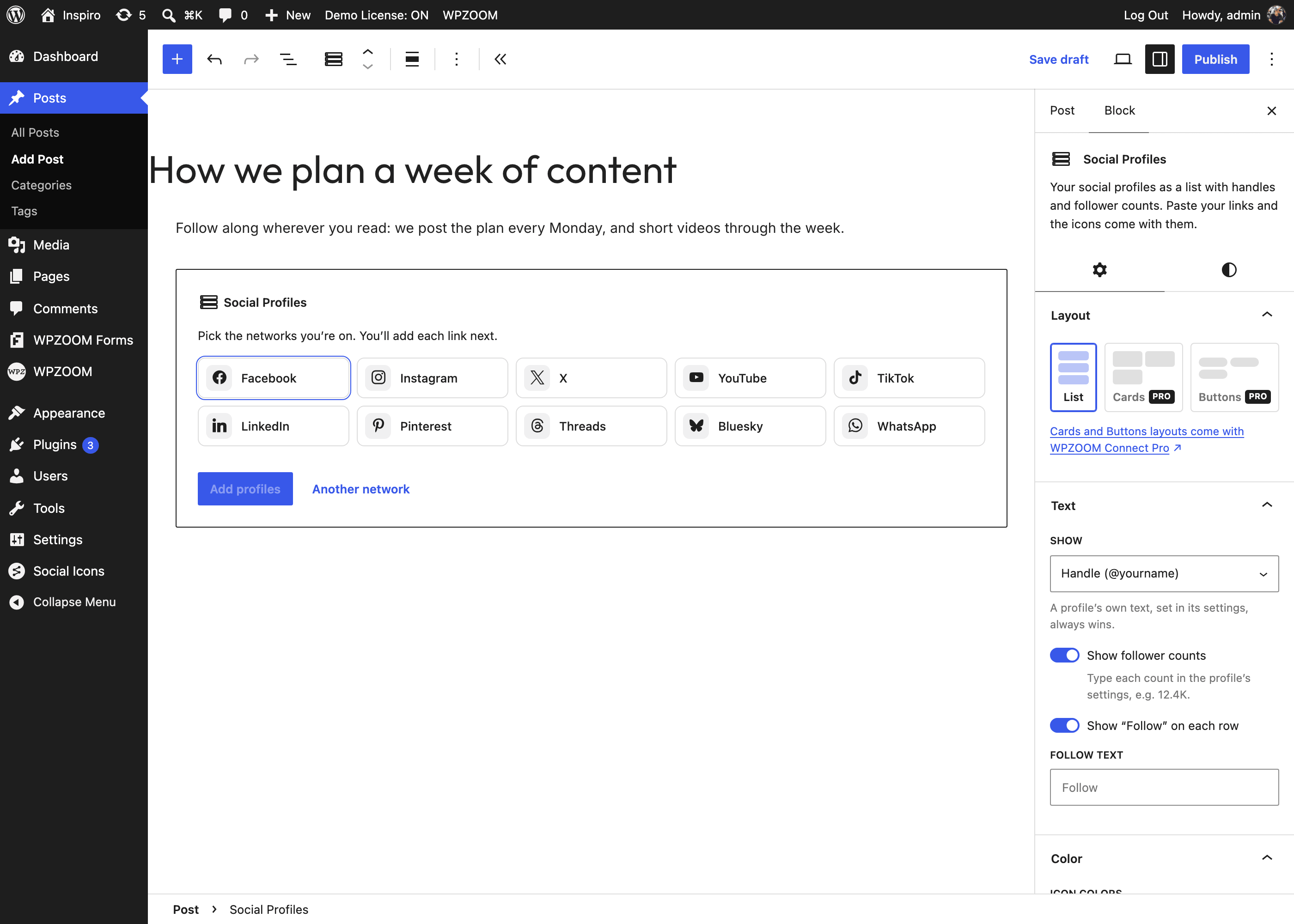
  2. The block opens with a picker of ten popular networks (Facebook, Instagram, X, YouTube, TikTok, LinkedIn, Pinterest, Threads, Bluesky, WhatsApp). Tick the ones you are on and click Add profiles. For anything else, click Another network and pick it from the icon library.
The Social Profiles block placeholder with the network picker

Adding profiles

Each profile has its own panel in the block sidebar. Paste your profile link in it and press Apply link and detect icon: the icon and the handle come from the link.
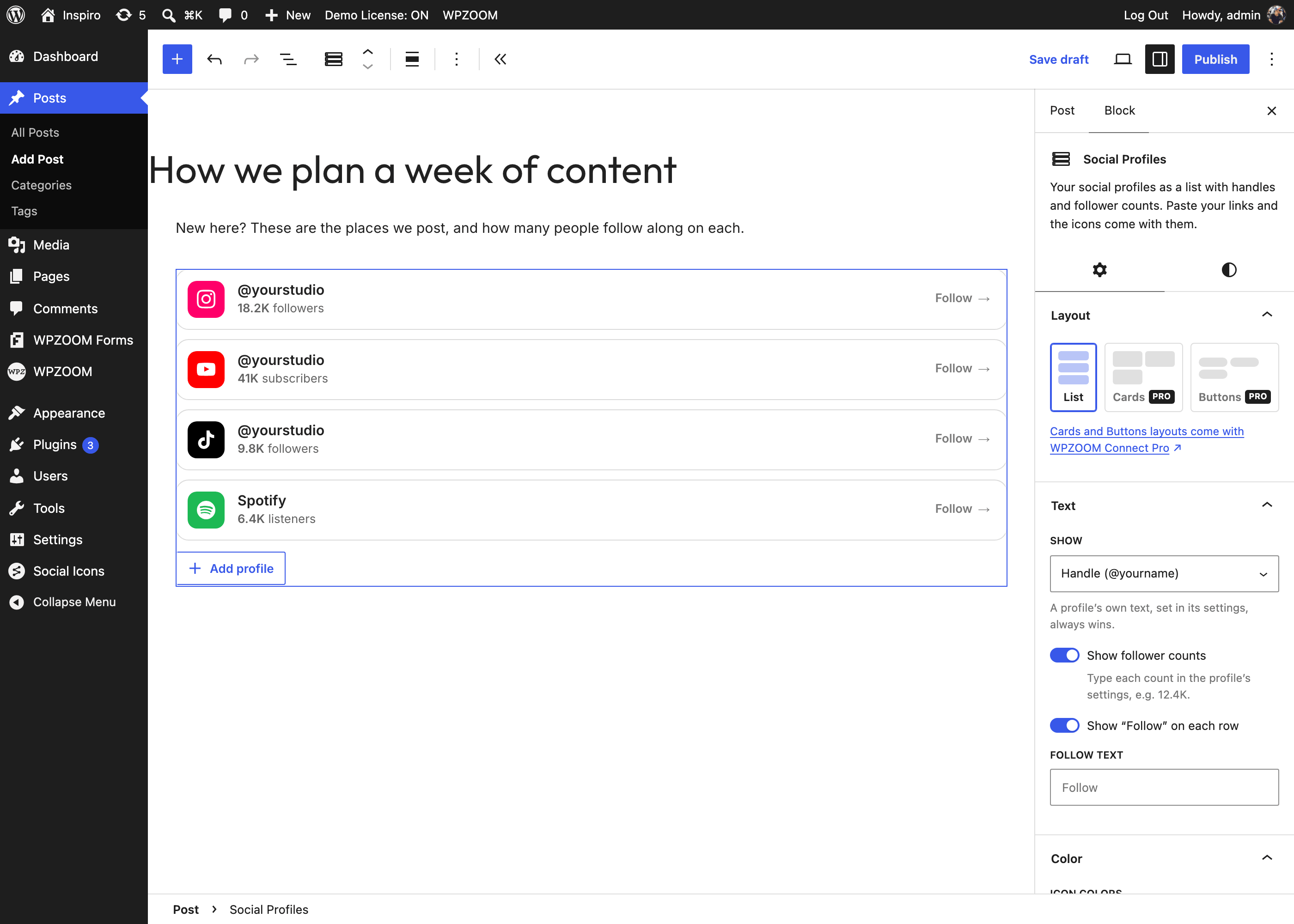
The Social Profiles block, List layout, with the settings sidebar

Per profile you can also set:

  • Change icon: pick another icon from the library.
  • Text: overrides the handle for this profile.
  • Count and Count label: see below.
  • Color: the icon color, by default the network’s brand color.
  • Move up / Move down and Remove.

What each row shows

In the Text panel, Show decides what the row’s main text is:

  • Handle (@yourname): read from the link. x.com/yourname becomes @yourname, youtube.com/@yourname becomes @yourname, reddit.com/r/WordPress becomes r/WordPress. A link that has no handle (a long path or a query string) falls back to the network name.
  • Short link (x.com/yourname): the address without https:// and www..
  • Network name (Instagram).

A Text you type in a profile’s own panel always wins over this setting.

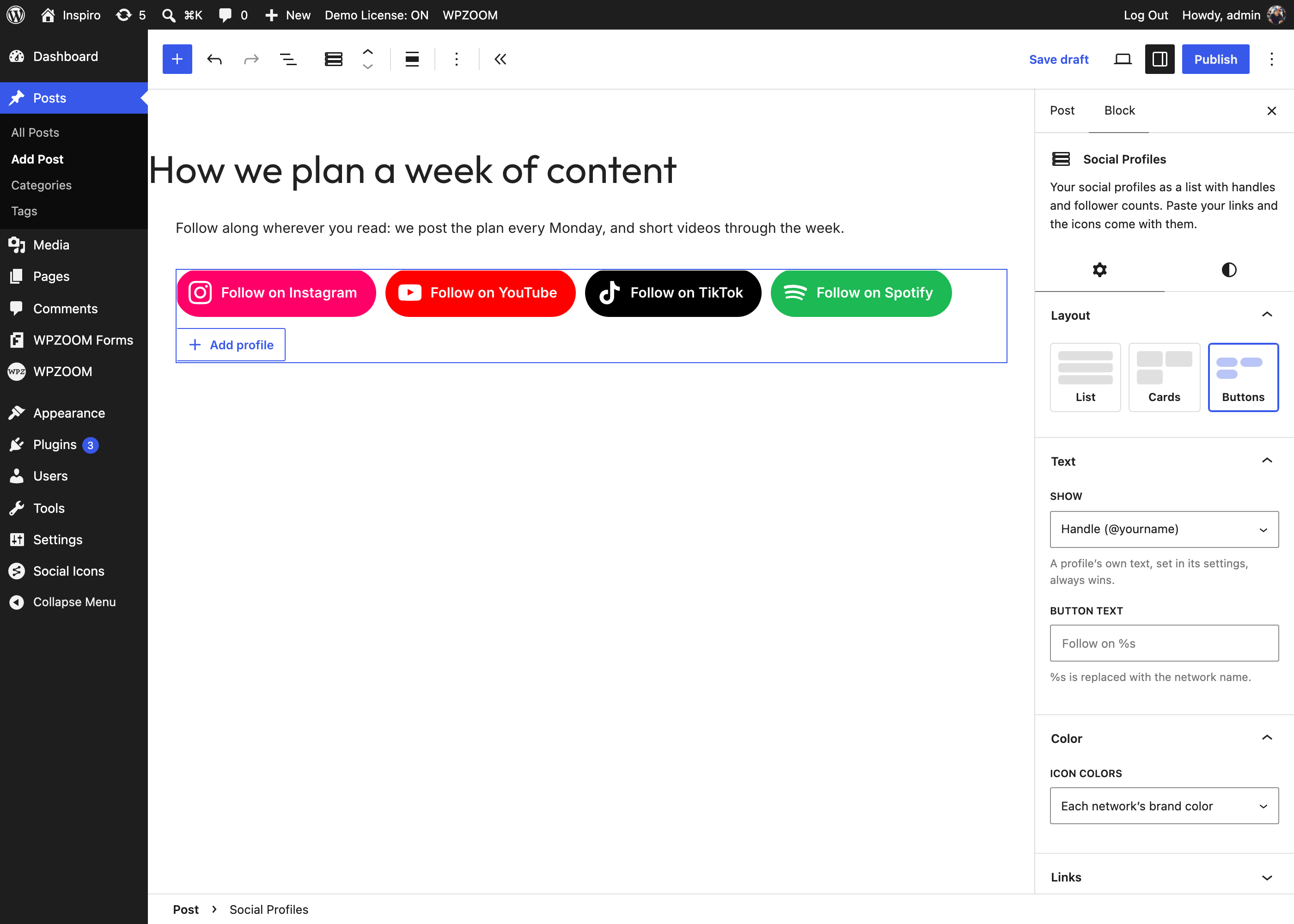
Show “Follow” on each row adds a Follow link at the end of each row; change its wording in Follow text. In the Buttons layout, Button text is the button label, where %s is replaced with the network name (“Follow on %s” → “Follow on Instagram”).

Follower counts

Turn on Show follower counts and type each count in the profile’s Count field, as you want it shown: 12.4K, 1.2M, 850. The plugin does not fetch counts from the networks, so the number only changes when you change it.

The label next to the count matches the network: subscribers on YouTube and Substack, members on Discord, Telegram, Reddit and Slack, listeners on Spotify, patrons on Patreon, and followers everywhere else. Count label overrides it for one profile.
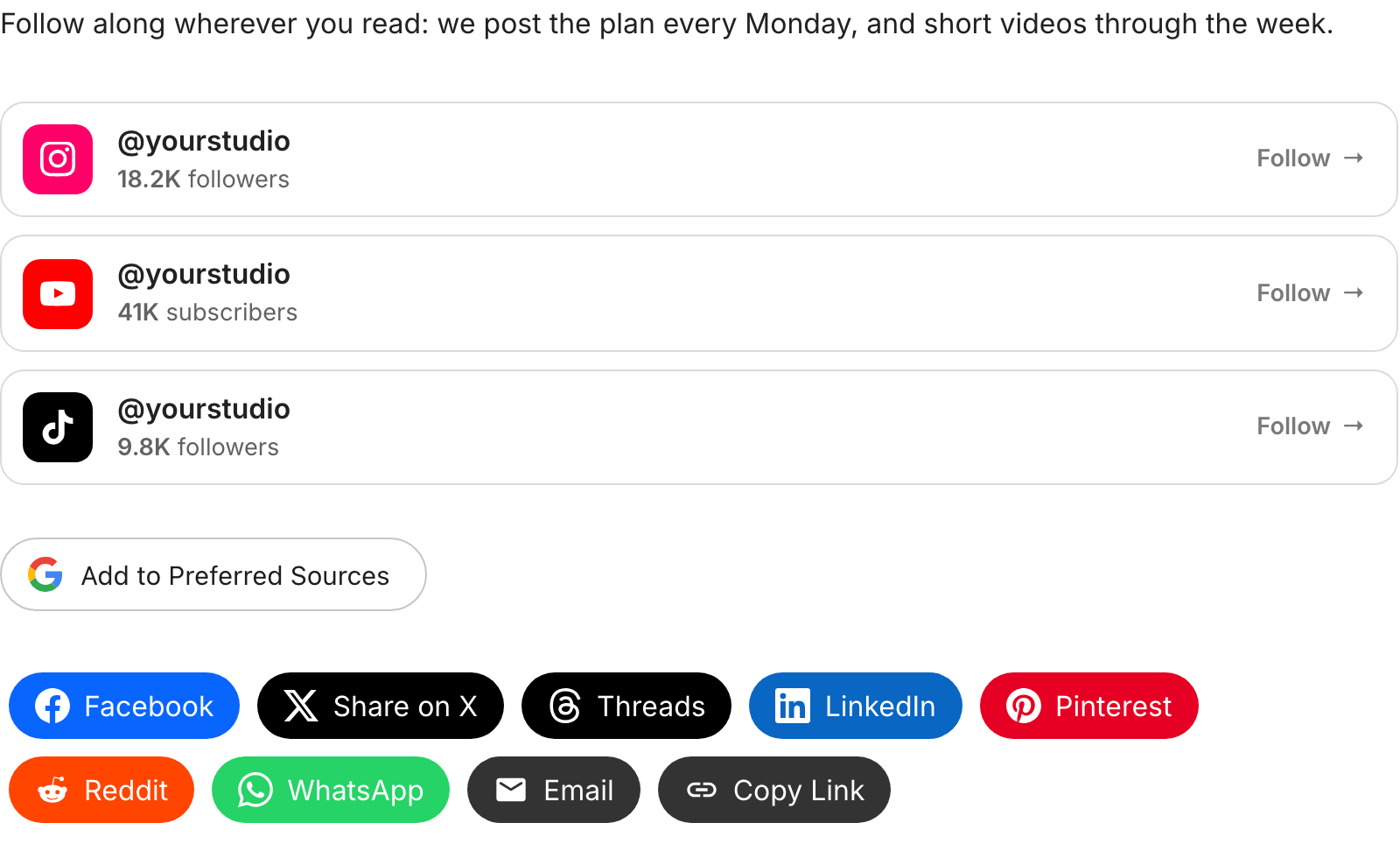
The Social Profiles block on the site, with counts and Follow links

Layouts: List, Cards and Buttons

The Layout panel has three layouts:

  • List (free): one row per profile with the icon, the text and the count.
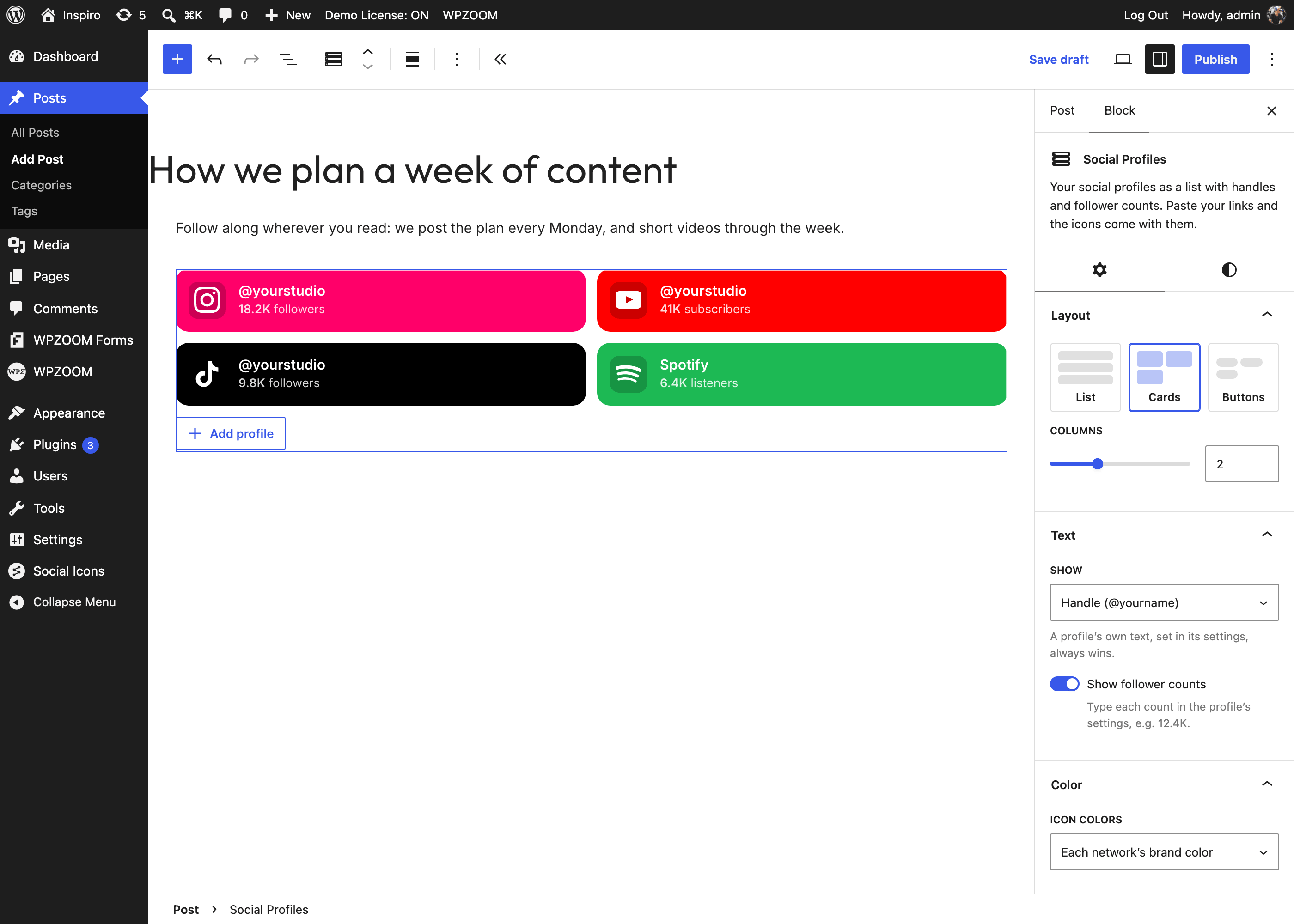
  • Cards (PRO): brand-colored tiles in a grid; choose the number of Columns. Good for an About page or a link-in-bio page.
  • Buttons (PRO): full-width “Follow on Instagram” buttons, one per profile, for the end of a post or a link-in-bio page.
The Cards layout (Pro)
The Buttons layout (Pro)

In the free plugin the Cards and Buttons options are shown with a note; the block is rendered as a list until Pro is active.

  • Color → Icon colors: Each network’s brand color or One color for all (then pick the color).
  • Links: Open in a new tab (on by default) and rel="nofollow".
  • The Styles tab has the row styling: Corner radius, Border width, Padding, Space between, the Border, Background and Text colors, and the icon Size and Corner radius.

The block is rendered on the server, so it never shows the editor’s “This block contains unexpected or invalid content” message after a plugin update, and the markup of your existing profiles is updated along with the plugin.


What’s Next?

Last updated on October 27, 2026