New Inspiro AI Demo Generator — can't find the perfect demo? Describe your website and AI builds a custom one in about 2 minutes. Learn more →

Knowledge Base

Documentation

Theme Documentation


Plugin Documentation


Resources

Inspiro – Performance Options (CSS/JS Optimization)

This article refers to Inspiro Premium

Since Inspiro Premium 9.8.0 the theme does most of the front-end speed work itself: its scripts (including jQuery) load deferred, the slideshow, portfolio and lightbox assets load only on pages that use them, the bundled fonts are served locally as small language subsets with preload, every stylesheet is minified and the core stylesheet is about a third smaller than before. The three switches behind this are on by default and live in Theme Options, so you can turn one off if a plugin or custom script needs it.


Table of Contents

  1. Where to find the options
  2. The three options
  3. When to turn one off

Where to find the options

Go to WPZOOM → Theme Options → General → CSS/JS Optimization:
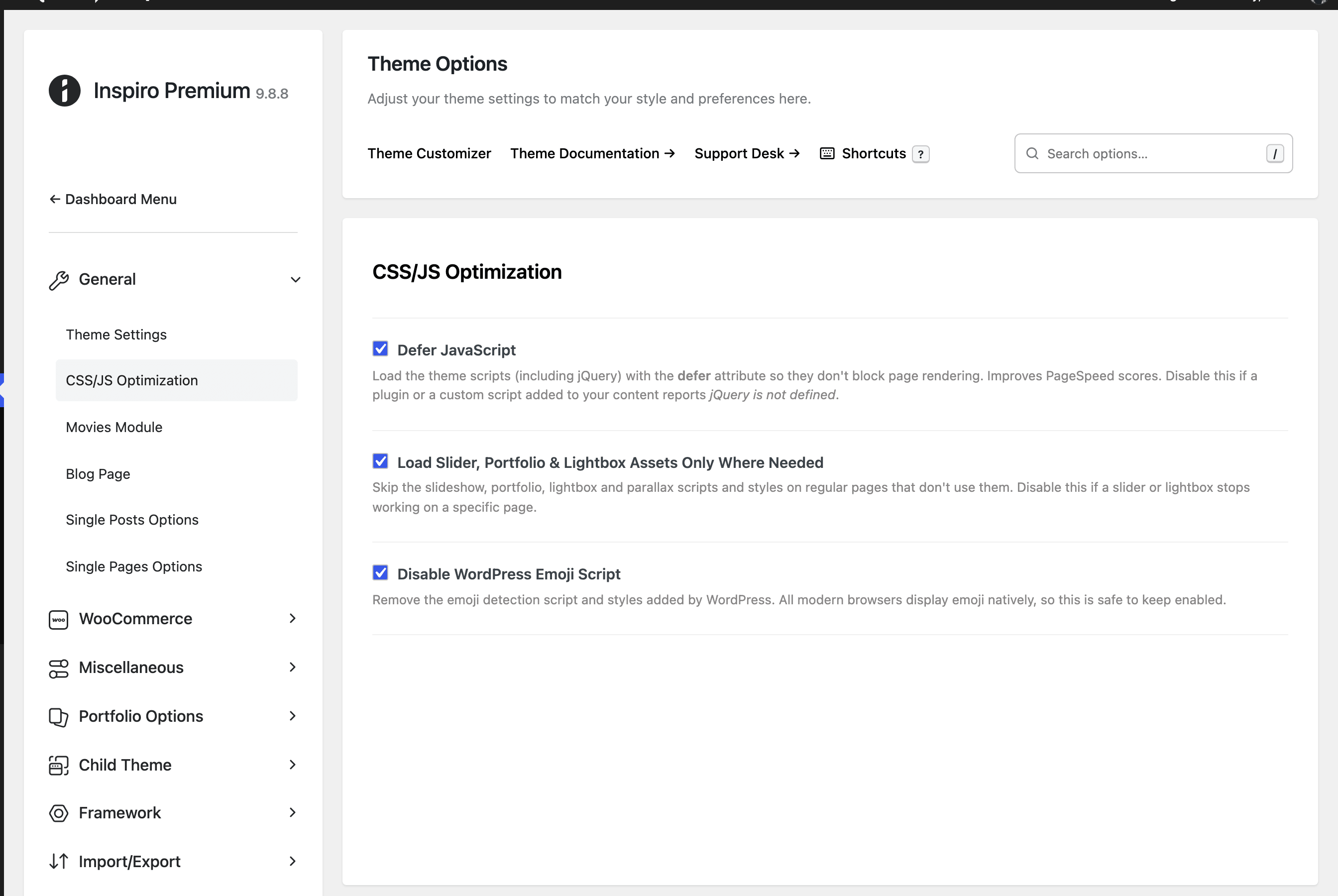
The CSS/JS Optimization options in Theme Options

The three options

  • Defer JavaScript — loads the theme scripts, including jQuery, with the defer attribute so they don’t block page rendering. This is the option with the biggest effect on PageSpeed scores.
  • Load Slider, Portfolio & Lightbox Assets Only Where Needed — skips the slideshow, portfolio, lightbox and parallax scripts and styles on regular pages and posts that don’t use them.
  • Disable WordPress Emoji Script — removes the emoji detection script and styles that WordPress adds to every page. All modern browsers display emoji natively, so this is safe to keep enabled.

Click Save all changes after changing an option, and clear your cache plugin’s cache if you use one.


When to turn one off

  • A plugin or a script pasted into your content reports jQuery is not defined in the browser console, or an inline script that relies on jQuery stops working → uncheck Defer JavaScript. Inline jQuery(...) code runs before the deferred jQuery is available; wrapping it in a DOMContentLoaded listener also fixes it without giving up the option.
  • A slider, lightbox or parallax effect stops working on one specific page — typically a page whose slider is added through a shortcode or a plugin the theme can’t detect → uncheck Load Slider, Portfolio & Lightbox Assets Only Where Needed.

Everything else from the Speed Tips article still applies: page caching, image optimization and local Google Fonts remain worth setting up.


See also:

Last updated on November 3, 2026