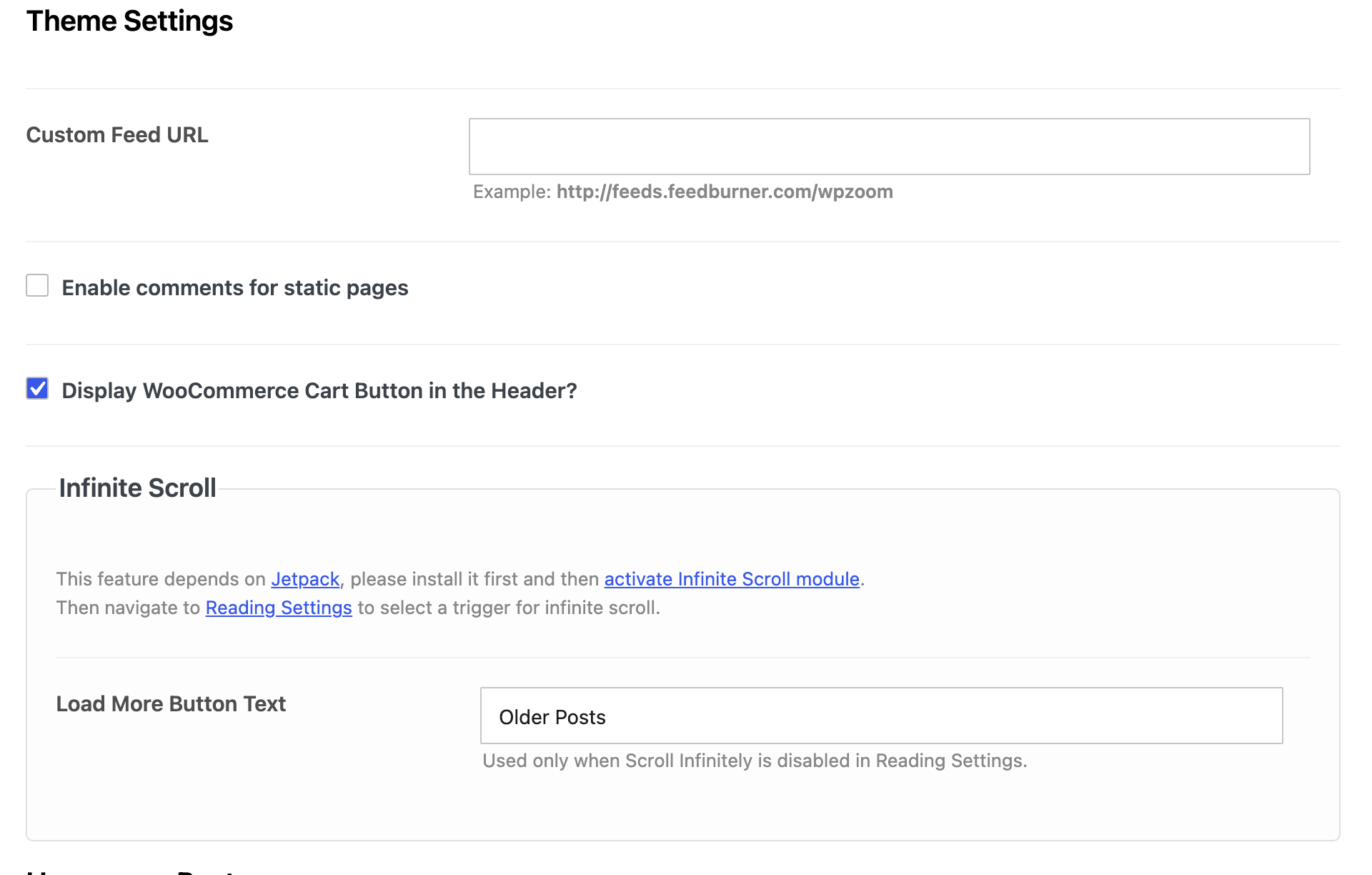
Instead of numbered pagination, Cookely can load the next batch of posts as the reader reaches the bottom of the page — either automatically, or behind a Load More button.
What you need
Infinite Scroll comes from Jetpack, not from the theme. Cookely supplies the styling and the button label; Jetpack does the loading.
Install and activate Jetpack.
Activate its Infinite Scroll module.
Go to Settings → Reading and pick the trigger — Load more posts in page with a button, or Load more posts as the reader scrolls down.
The theme’s own settings
In WPZOOM → Theme Options → General → Theme Settings you can enable Infinite Scroll and set the text shown on the button:
The Recipe Index page template has its own separate infinite-scroll settings, including the button label and the loading text — see Recipe Index Page.
Button or automatic?
A Load More button is usually the better choice on a recipe blog:
Readers can reach the footer — with automatic loading, the footer keeps running away from them.
It’s kinder to mobile data.
People choose to load more, rather than having it happen to them.
Automatic scrolling suits image-led browsing where there’s no footer content that matters.
If it isn’t working
Nothing loads: Jetpack isn’t active, or its Infinite Scroll module is off.
Numbered pagination still shows: the option in Theme Options is off, or a caching plugin is serving an old page.
It loads but looks wrong: another plugin is also handling pagination — use one or the other.
To provide the best experiences, we use technologies like cookies to store and/or access device information. Consenting to these technologies will allow us to process data such as browsing behavior or unique IDs on this site. Not consenting or withdrawing consent, may adversely affect certain features and functions.
Functional
Always active
The technical storage or access is strictly necessary for the legitimate purpose of enabling the use of a specific service explicitly requested by the subscriber or user, or for the sole purpose of carrying out the transmission of a communication over an electronic communications network.
Preferences
The technical storage or access is necessary for the legitimate purpose of storing preferences that are not requested by the subscriber or user.
Statistics
The technical storage or access that is used exclusively for statistical purposes.The technical storage or access that is used exclusively for anonymous statistical purposes. Without a subpoena, voluntary compliance on the part of your Internet Service Provider, or additional records from a third party, information stored or retrieved for this purpose alone cannot usually be used to identify you.
Marketing
The technical storage or access is required to create user profiles to send advertising, or to track the user on a website or across several websites for similar marketing purposes.