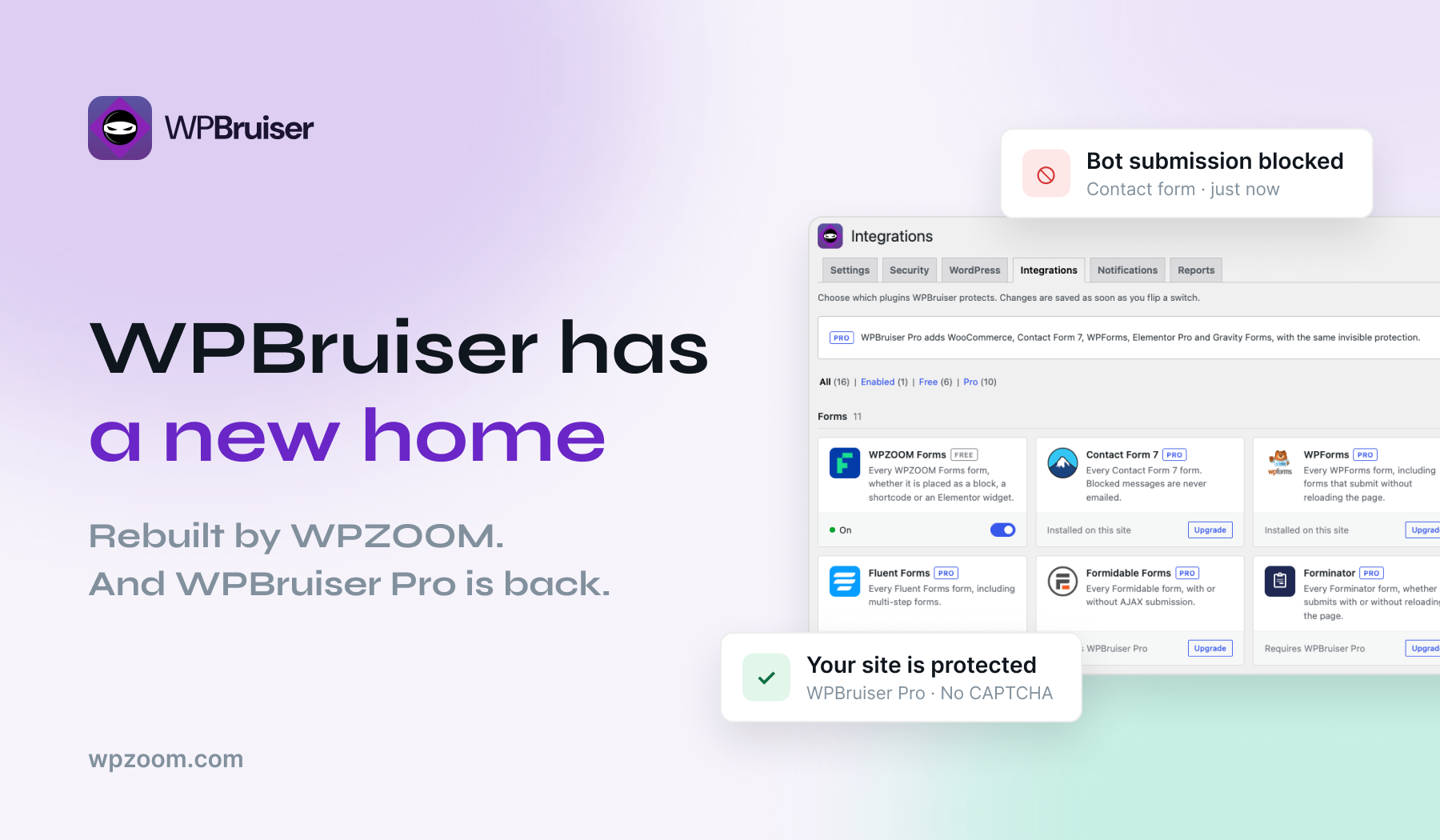
WPBruiser, the anti-spam plugin that stops bots without a CAPTCHA, has a new home: WPZOOM is now its maintainer. After years without an update, the plugin is back in the WordPress.org directory, rebuilt and safe again, with a stack of new features in the free version and the return of WPBruiser Pro.
Here’s how that happened, and what’s changed.
How we ended up adopting WPBruiser
We didn’t find WPBruiser by browsing the directory. We were customers: we’d used it, along with its premium add-ons, since 2018. It did one thing really well. Instead of asking visitors to solve a puzzle, it adds an invisible token to each form, and bots that post straight to your login or comment form arrive without one and get turned away. At its peak, close to 40,000 sites ran it.
Then the updates stopped. The vendor website went offline, emails went unanswered, and at one point we couldn’t even cancel our own subscription. The plugin kept working, but it wasn’t keeping up with PHP 8 or newer WordPress versions, and an abandoned security plugin is exactly what attackers look for.
In December 2024 we asked the WordPress.org Plugins team about adopting it. The process asks for a real effort to reach the original developer first, and we didn’t see it through that time. This August we tried again and followed every step: we documented our emails to the author since 2023, messages on WordPress Slack, posted a public request in the plugin’s support forum, and sent an updated version of the plugin for the team to review.
On October 13, 2026, the Plugins team approved the takeover, and three days later WPBruiser was back in the directory. While it was closed, its listed installs dropped to the 10,000+ bracket. We’d like to bring it back up, and well past where it was.
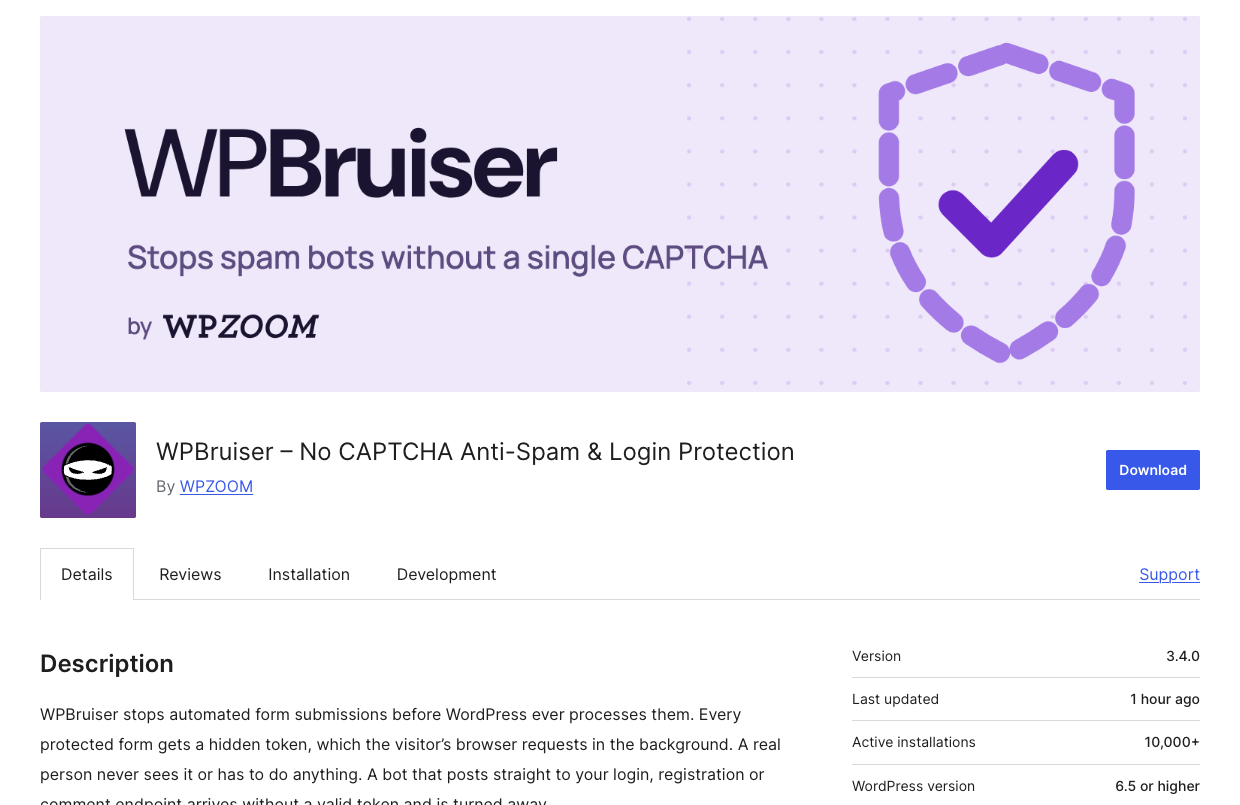
Thanks to the plugin’s original author for creating WPBruiser and building something good enough that we wanted to keep it going, and to the Plugins team for the careful review.
First: making it safe again
Before adding anything, we went through the code. Version 3.2.0, the one the Plugins team reviewed, was mostly about cleaning up:
- A security fix. We closed an unauthenticated PHP Object Injection vulnerability reported through Patchstack (CVE-2026-65556) and hardened every other place the plugin read serialized data.
- No more calls to a dead server. The plugin used to contact the old vendor website, once with certificate checks turned off. Now it contacts nothing: every check runs on your own server.
- PHP 8 and current WordPress. The deprecation warnings and “loaded too early” notices are gone, and the plugin passes WordPress’ Plugin Check.
- Translations that work. A text-domain mistake meant none of the plugin’s 356 strings could ever be translated. They can now.
- Page caching without exclusions. The script loads like any other WordPress script, and a page cached with an old token fetches a fresh one, so cached pages need no special rules.
We also found a bug that had probably been hurting sites for years: on any server running PHP 7.2 or later, about one genuine visitor in ten could be rejected on a protected form, because of how the old encryption library padded the token. It’s fixed: in 10,000 test runs, not one real submission failed.
What’s new in the free version
With the foundations fixed, we turned WPBruiser into a plugin that can hold its own against the big security and anti-spam plugins, without asking anyone to pay for the basics.
Protection that’s on from the start
A new Integrations screen shows every plugin WPBruiser can protect as a card, tells you which ones are active on your site, and turns each on with one switch. On a new install, WordPress’ login, registration, lost password and comment forms, plus every supported plugin that’s already active, are protected right away.
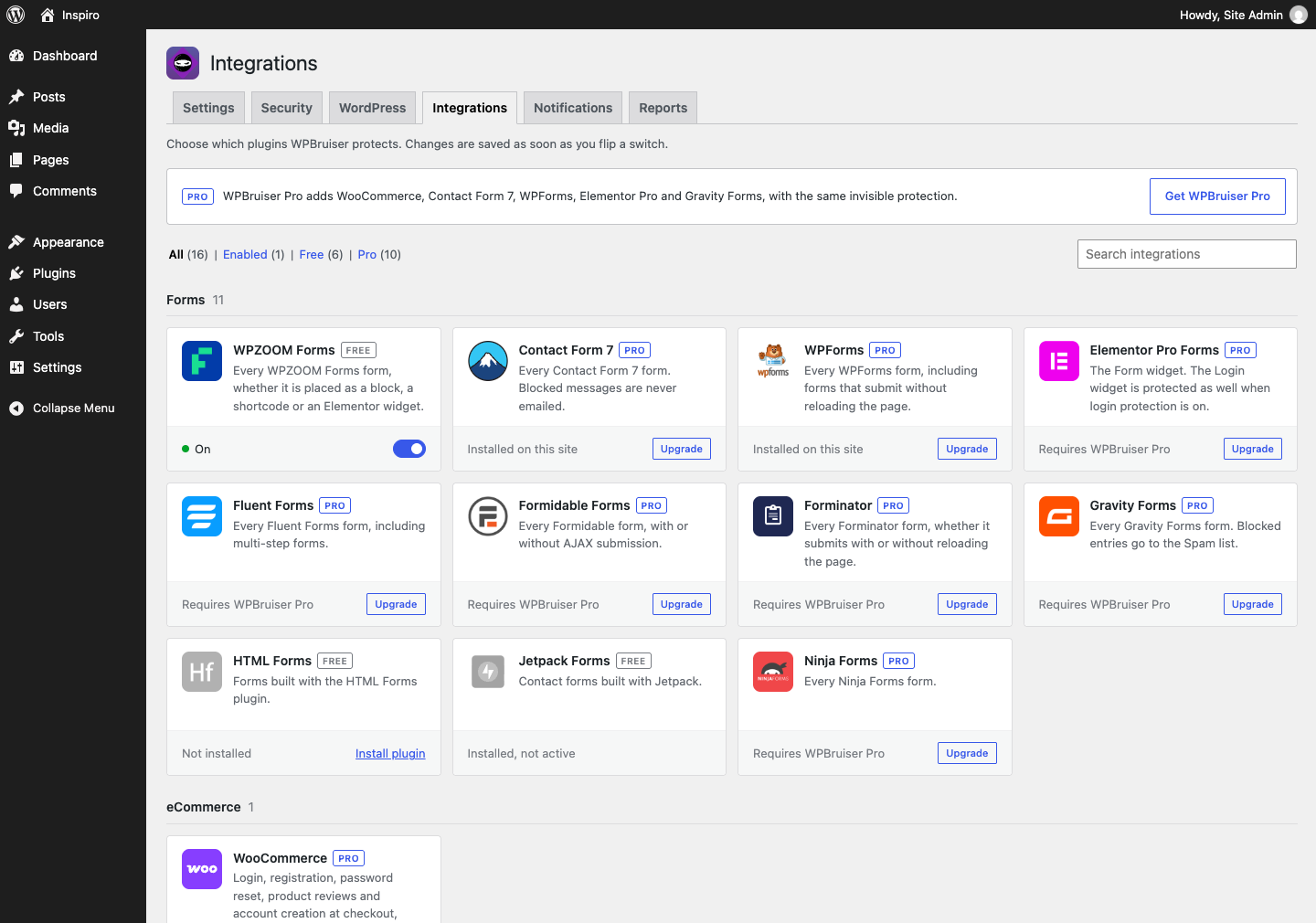
Free integrations include our own WPZOOM Forms, Jetpack Forms, Mailchimp for WordPress, HTML Forms, Ultimate Member, WP-Members, Login With Ajax and wpDiscuz. See every integration and what it protects.
Real login security
WPBruiser 3.4 adds the login protection you’d normally install a second plugin for:
- Login lockouts. After 5 failed logins (you choose the number), an IP address is locked out for 20 minutes, and for a day if it keeps coming back. This covers the login form, XML-RPC, application passwords and other plugins’ login forms, and you can release any lockout with one click.
- Banned usernames. An IP address that tries “admin”, “root” or similar names nobody on your site uses is locked out at once.
- Lockdown mode. During a detected attack, only IP addresses each user has logged in from before can log in.
- A custom login URL. Move the login page to an address only you know, so wp-login.php and wp-admin show a “not found” page to visitors.
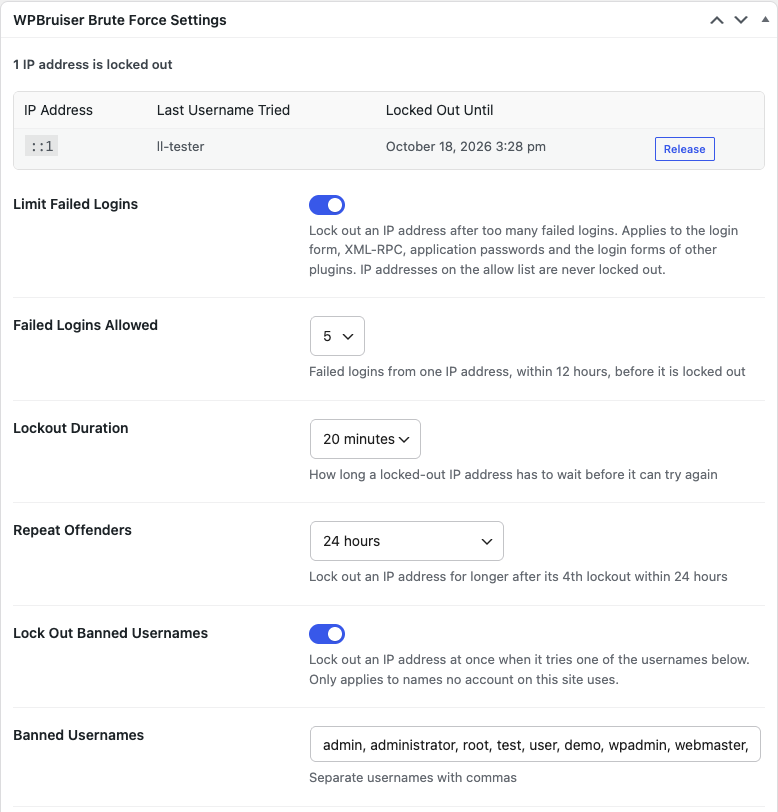
There’s a hardening pack too, all optional: close the REST API to visitors who aren’t logged in, turn off application passwords, and stop PHP files in the uploads folder from running.
See what it’s blocking
A new Dashboard widget shows blocked attempts for the last day, week and month, and the forms bots target most. The Reports screen has the full log, down to the content each bot tried to send.
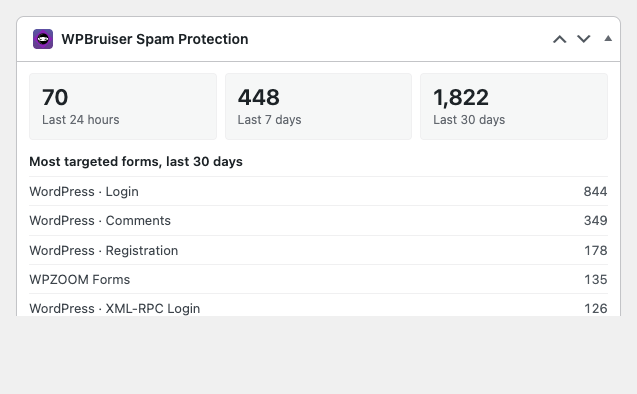
And the whole interface got a lighter, more modern look, with on/off switches, clearer settings and a link to the new documentation on every screen.
WPBruiser Pro is back
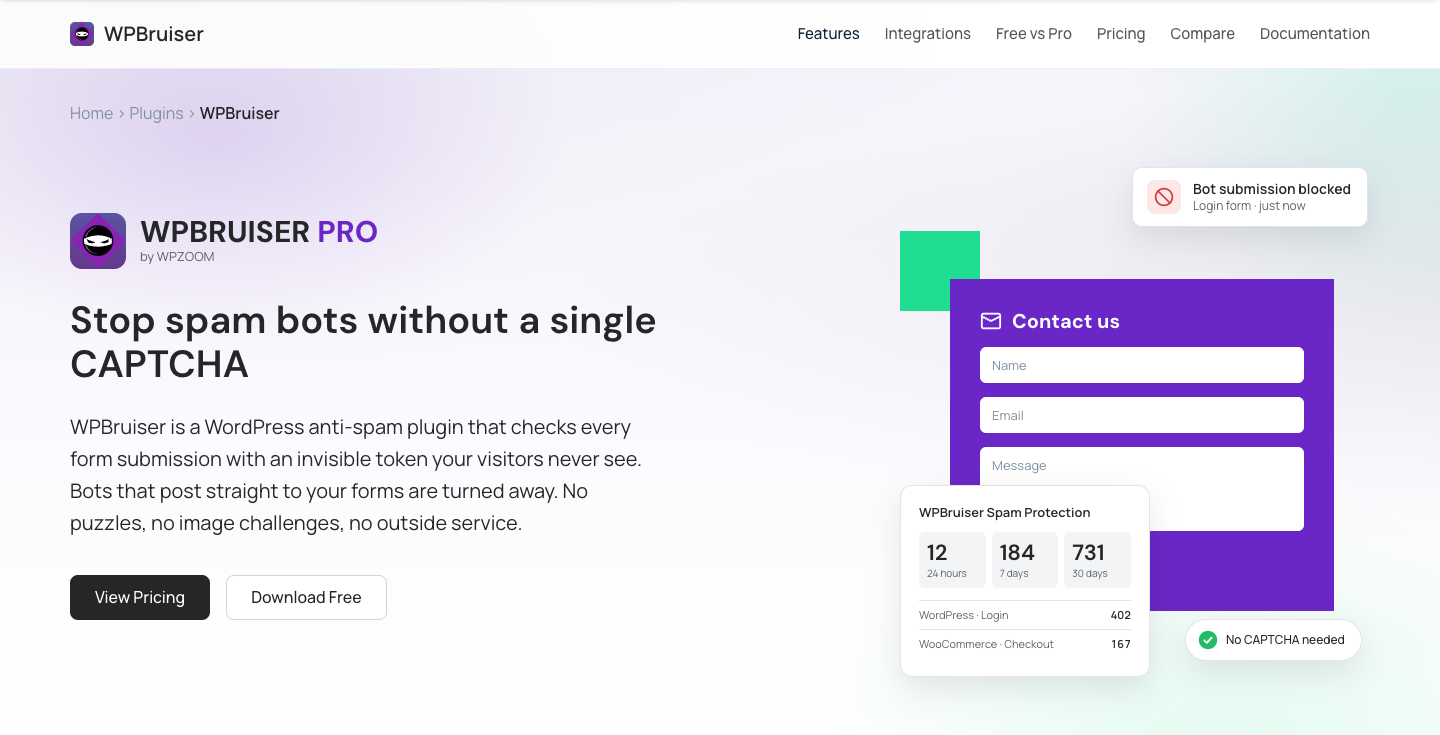
The original premium add-ons disappeared with the old vendor website. WPBruiser Pro brings them back as a single add-on, rewritten for current versions of the plugins it protects:
- Form builders: Contact Form 7, WPForms, Elementor Pro forms, Gravity Forms, Fluent Forms, Forminator, Ninja Forms and Formidable Forms.
- WooCommerce: login, registration, password reset, product reviews and account creation at checkout, on the classic checkout and the Checkout block.
- Easy Digital Downloads: account forms, checkout, and optional protection against card-testing bots on every purchase.
- MailPoet subscription forms, wherever they appear.
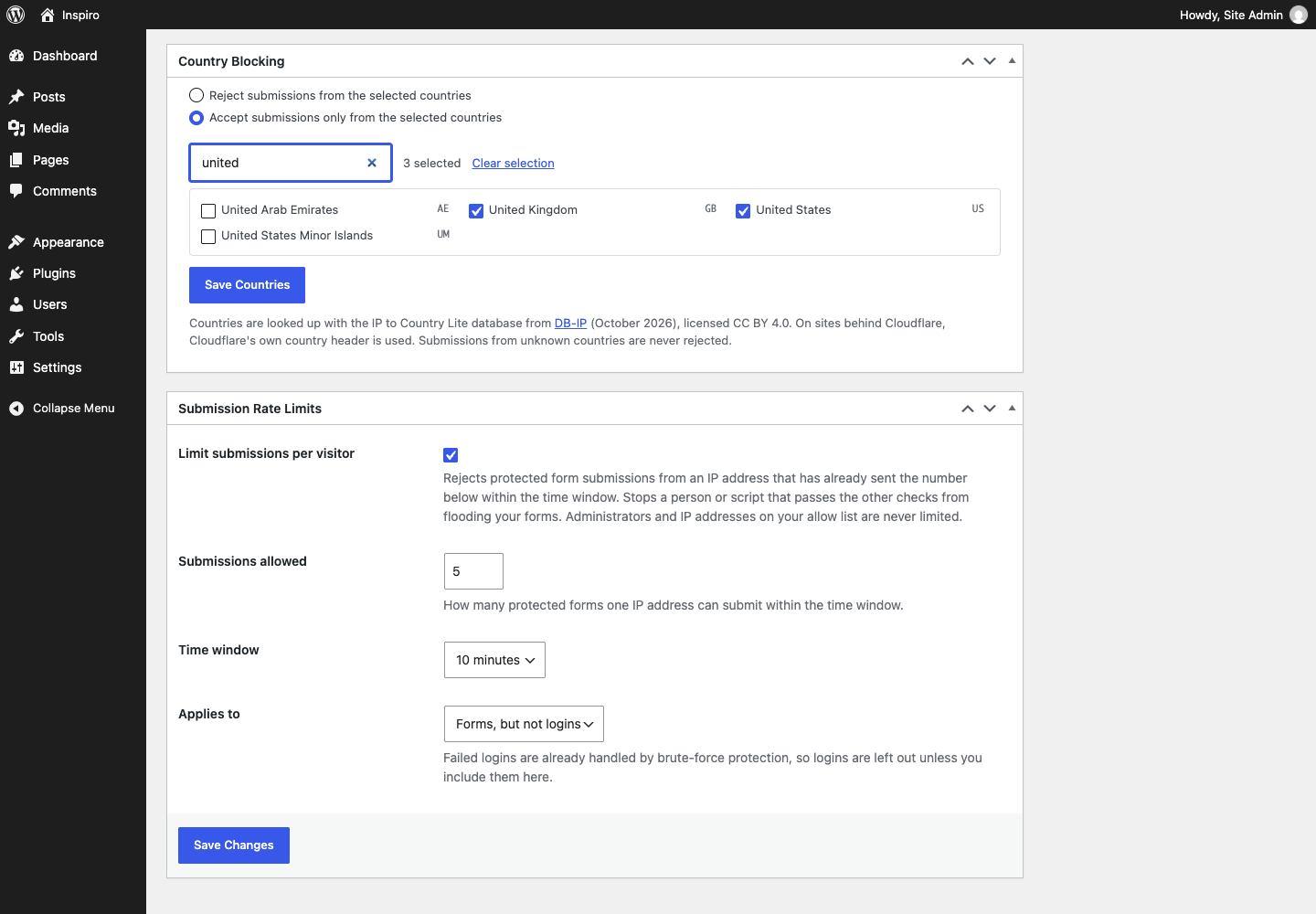
- Country blocking, with IP-to-country data that ships inside the plugin, and submission rate limits for anyone who gets past the other checks.
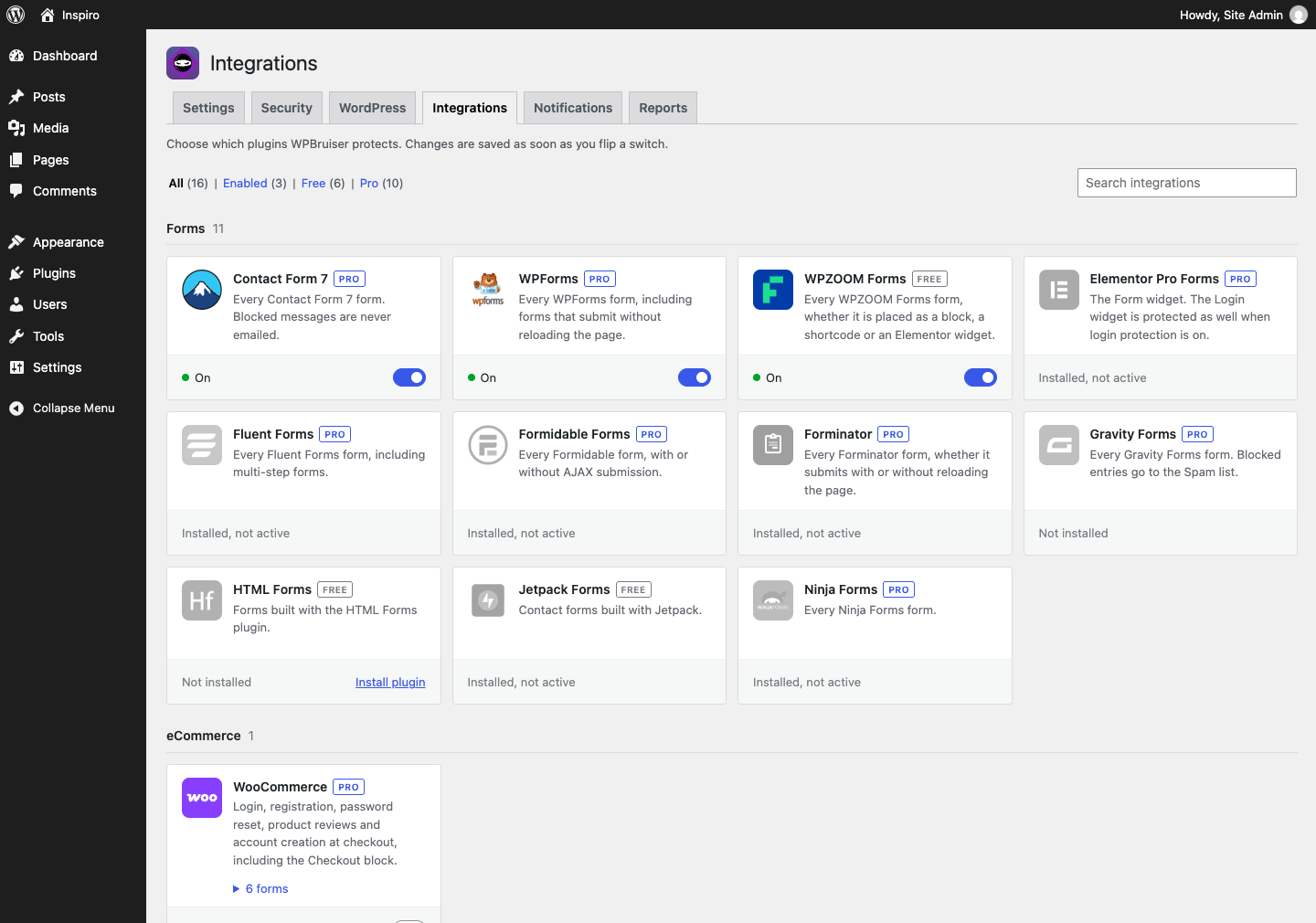
Pro switches itself on for the plugins you already use, and it adds to the screens you know rather than adding new ones. If you used the original WPBruiser Pro, your saved settings, including your list of blocked countries, carry over.
Plans start at $49 a year for one site, with a 14-day money-back guarantee.
What stays the same
The idea that made WPBruiser popular hasn’t changed: no CAPTCHA, no puzzles, and no third-party service. Your visitors fill in your forms exactly as before. No visitor data leaves your server, so there’s no cookie notice to add and no outside processor for your privacy policy. If you’re weighing it against other tools, we’ve put together honest comparisons with Akismet, reCAPTCHA, Turnstile and hCaptcha, CleanTalk and WP Armour.
If you already use WPBruiser, just update it from your Plugins screen. Your settings, allow and block lists and reports stay as they are, and the free version stays free, including on commercial sites.
WPBruiser is also open on GitHub. Found a bug or missing an integration? Tell us in the support forum or open an issue. We’re just getting started.